
Certificates, 3D floorplan, SAML, Labels and more
Treat certificates and SSH keys as a source of truth with drift you accept on your terms, sign in through your IdP, map devices onto their real faceplate photo and walk your racks in 3D, print real QR labels, and click any dashboard number straight through to the list behind it.
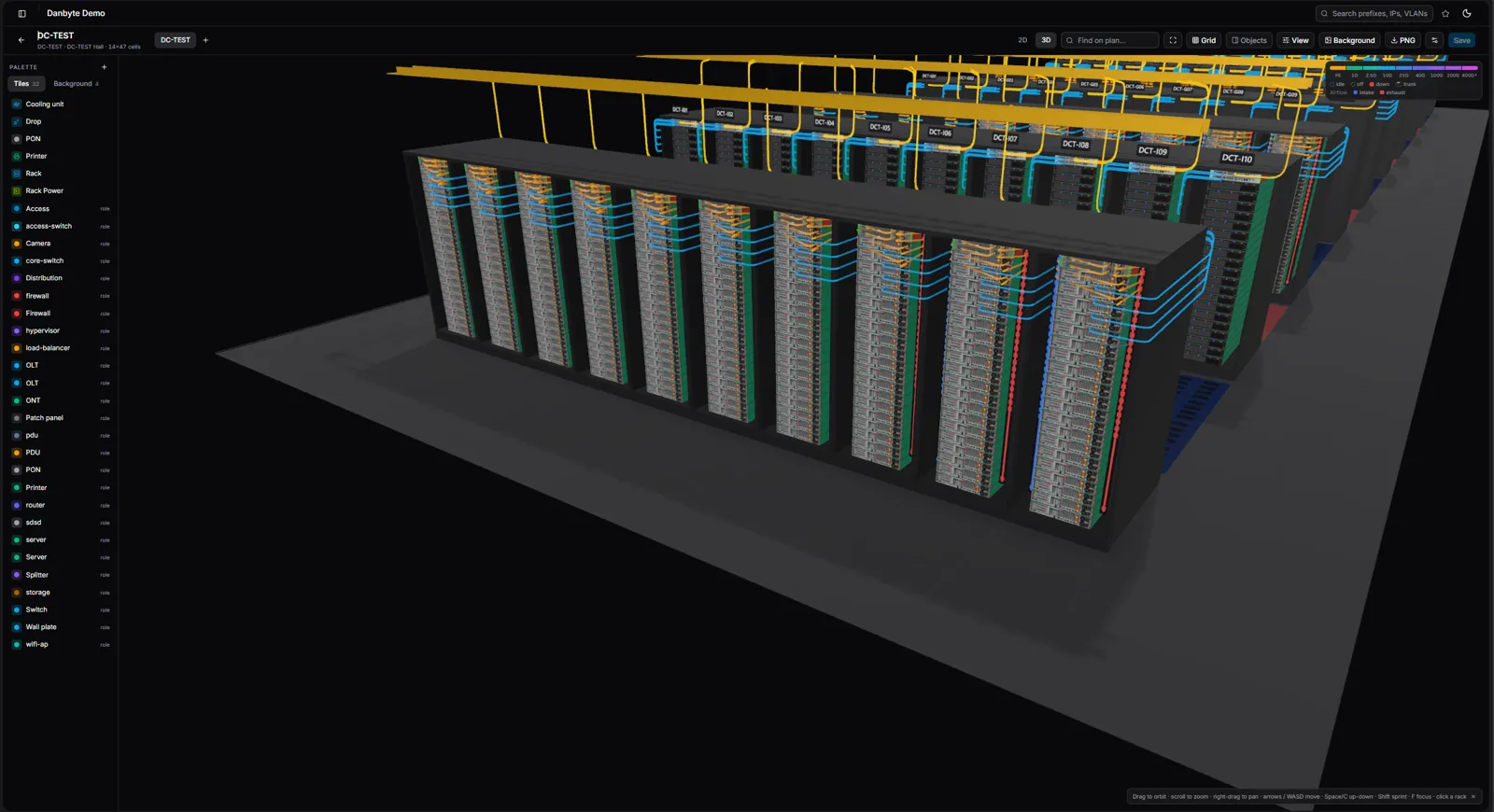
This release makes Danbyte hold the line on the things that quietly rot — certificates, keys, and the gap between what you documented and what's really on the wire — and makes the physical side something you can see: racks in 3D, labels you can print, and a dashboard where every number is a link.
Certificates and keys, as a source of truth
Upload the certificate an endpoint should present and Danbyte tracks it by fingerprint. A tls_cert check then observes what the endpoint is actually serving, and the two collapse into one row — so an expiring cert, a self-signed surprise, or a swapped chain shows up before it pages you. It reads the whole CA chain, warns on expiry against your own thresholds, and does the same for SSH host keys: record the expected key, get drift the moment a device presents another.
Danbyte can also issue the certificates it tracks — generate a CSR with the private key sealed in a secret store (local Fernet or Vault/OpenBao), or go fully automatic with ACME, including DNS‑01 for internal names and auto‑renewal at two‑thirds of each certificate's life.
Single sign-on with SAML 2.0
Point Danbyte at your identity provider and users sign in through it — SAML 2.0 SSO works with Okta, Entra ID, Google Workspace, Authentik and anything else that speaks SAML. Local accounts and API tokens still work alongside it, and your existing grant‑based RBAC decides what each person can see once they're in.
Faceplates from the real device photo
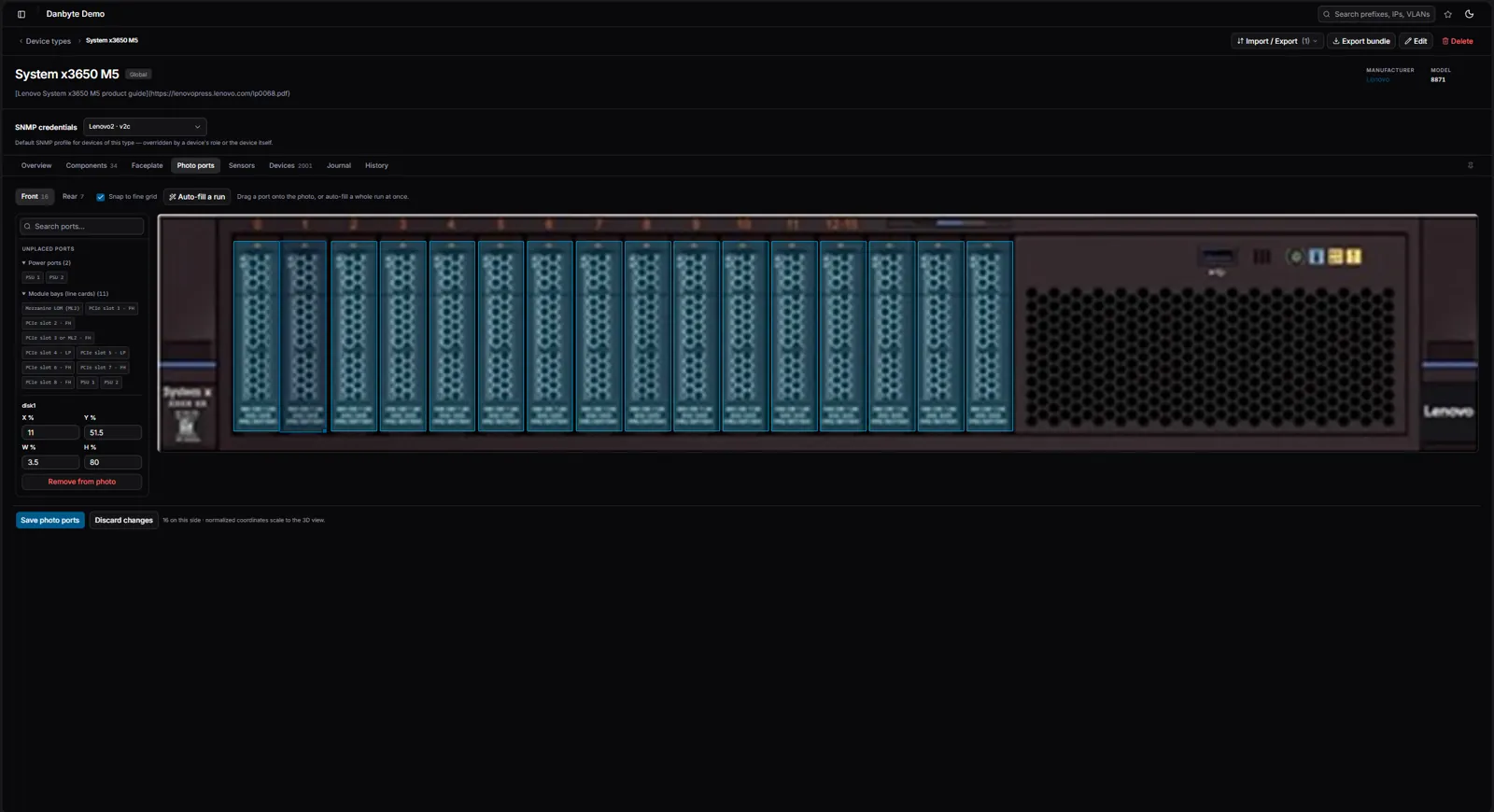
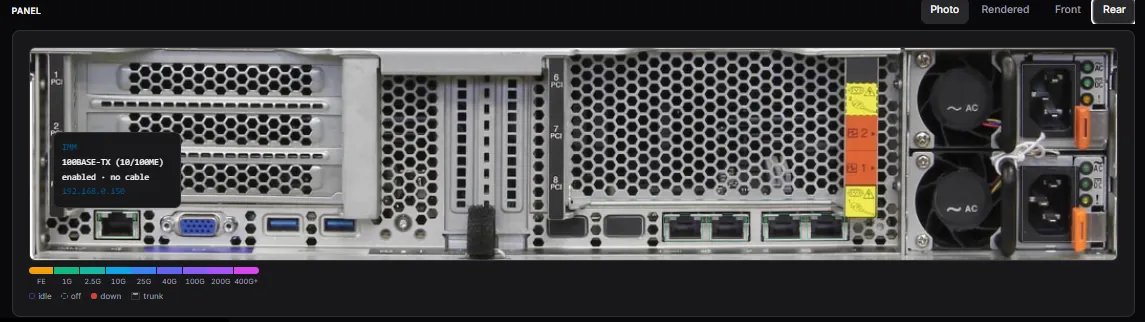
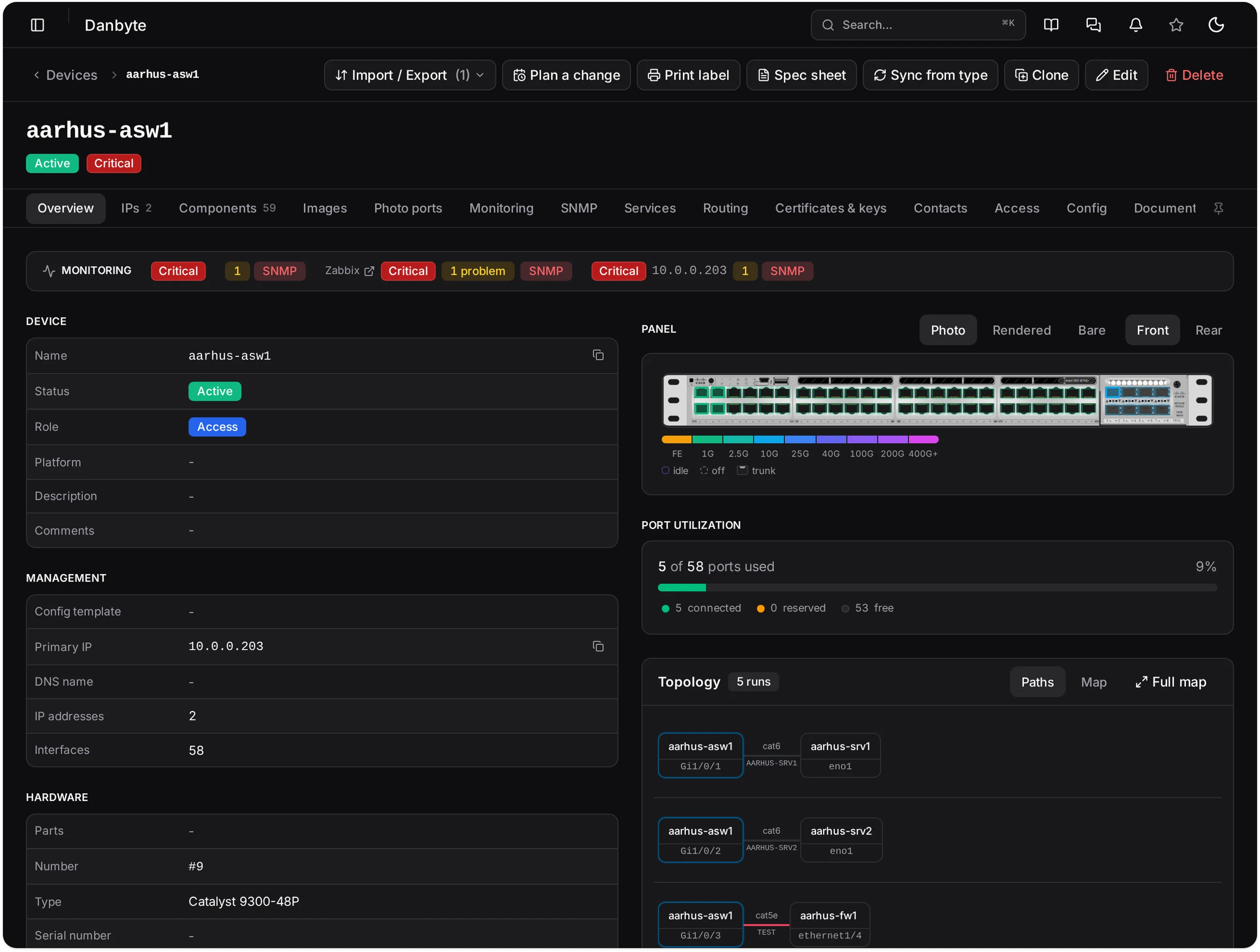
Drag a port onto the actual photo
Upload the front and rear photo of a device type and drag each port onto it — or auto‑fill a whole run at once, snapping to a grid. Every port you place becomes clickable, and the coordinates scale straight into the 3D rack view, so you map a device once and it's right everywhere.
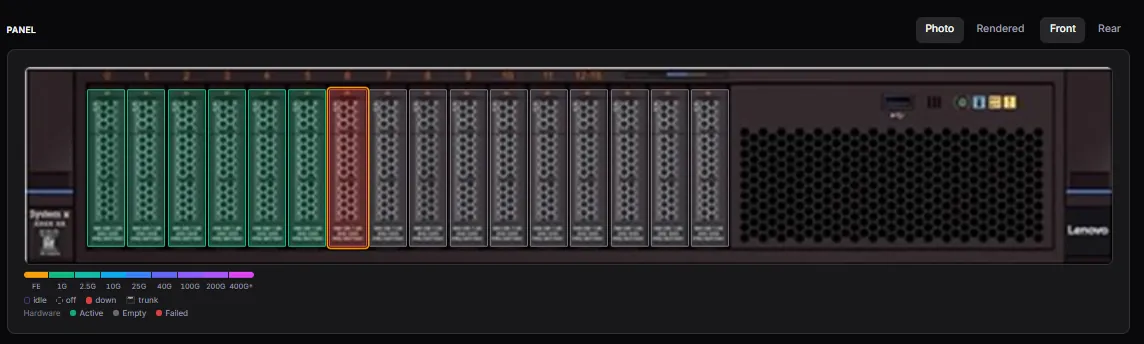
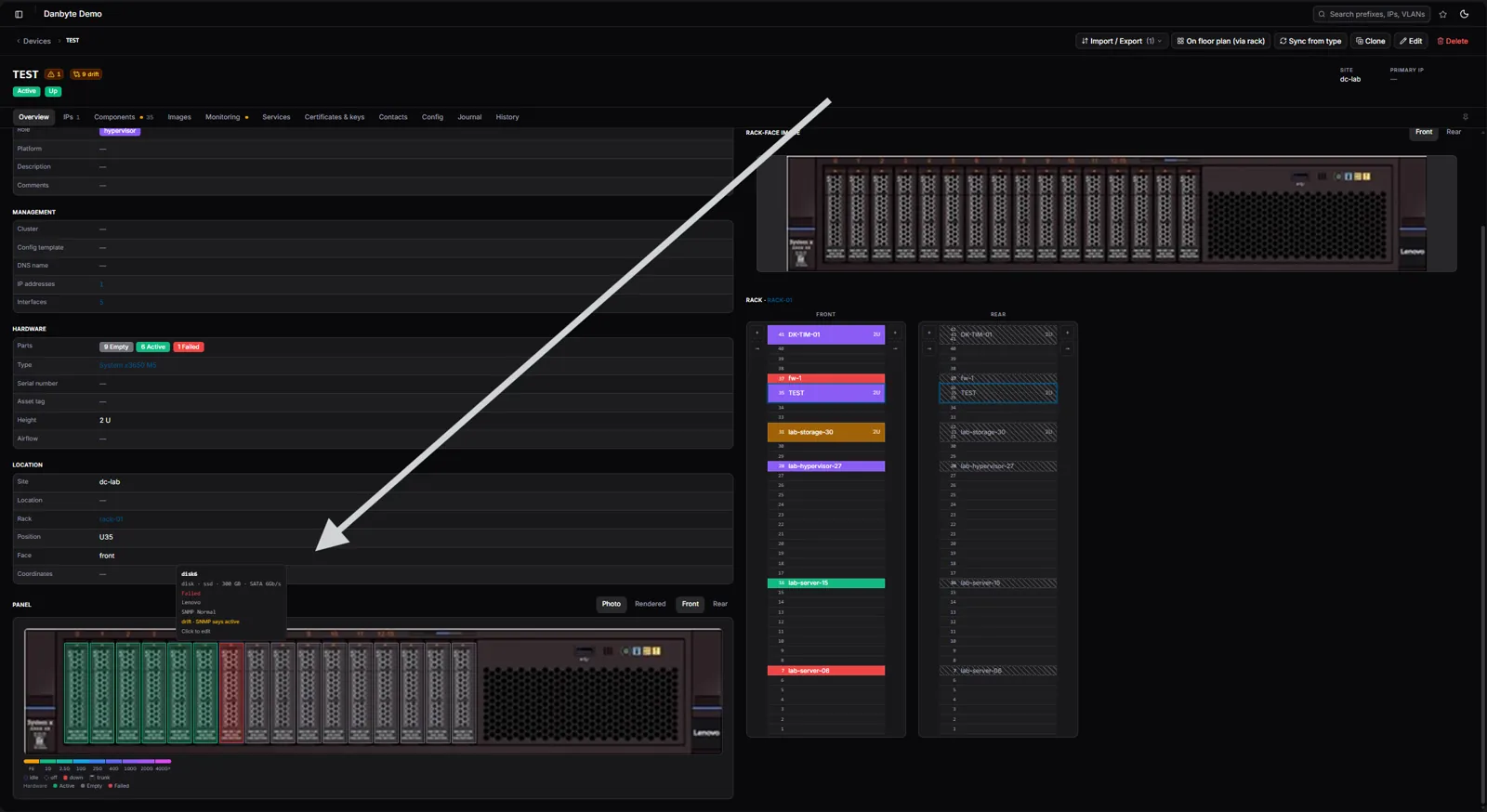
Once placed, a faceplate is live: ports colour‑code by speed and light up with real status, a hovered port shows its interface, IP and cable, and hardware health lands right on the photo — a failed disk in red, an SNMP drift note where reality and intent disagree. Front panel or rear, photo or a clean rendered view.

Your racks, in 3D
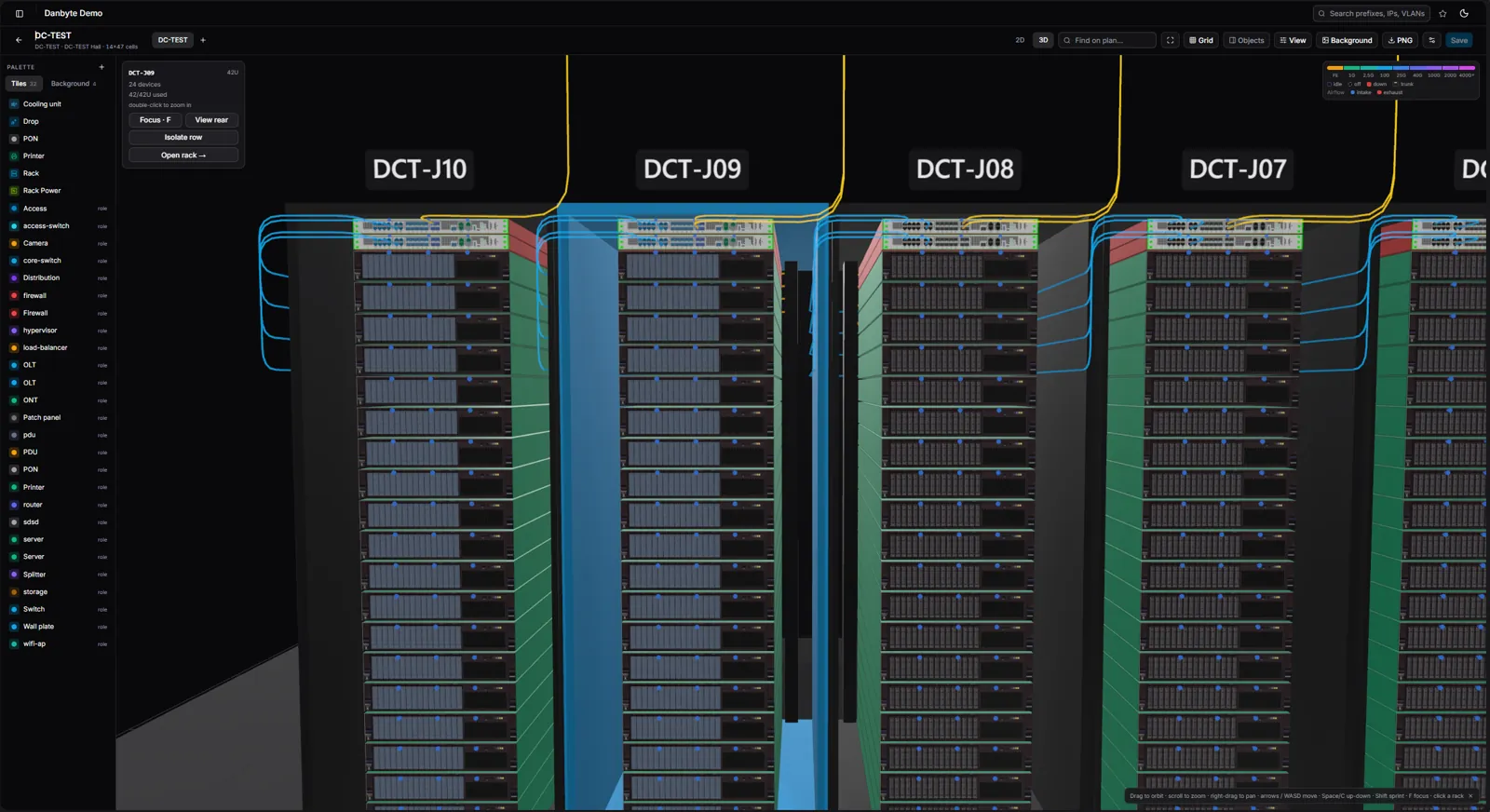
Walk the rack, trace the cable
Open a rack in 3D and see it the way it sits in the room — devices at their real U‑height, faceplates rendered from each device type's own images, disks and modules drawn where they live.
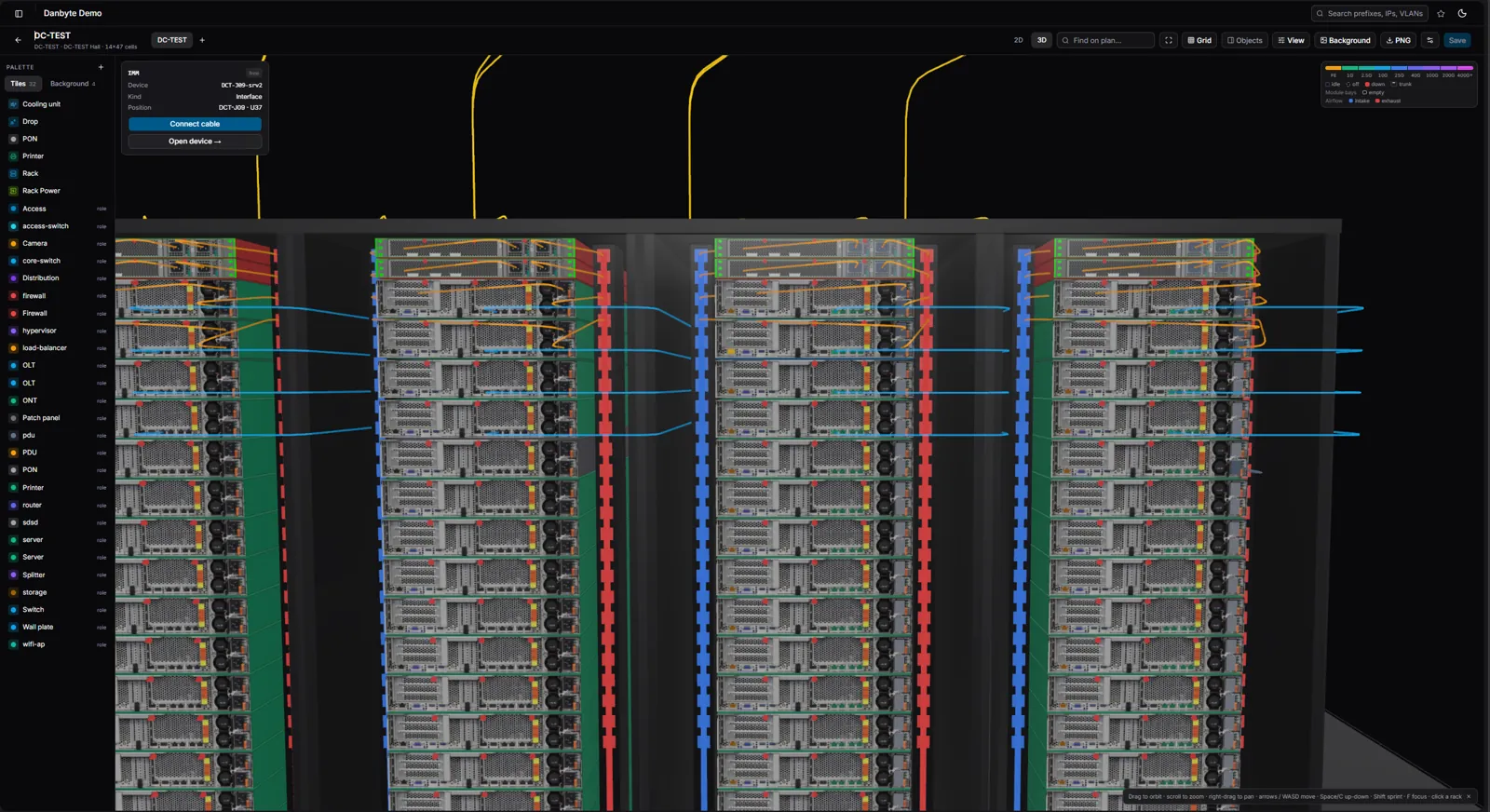
Click a port to trace its cable end‑to‑end and see what's on the other side. Cabling routes along the rails, speed tiers are colour‑coded, and configuration drift shows up right on the panel — a live picture, not a diagram.
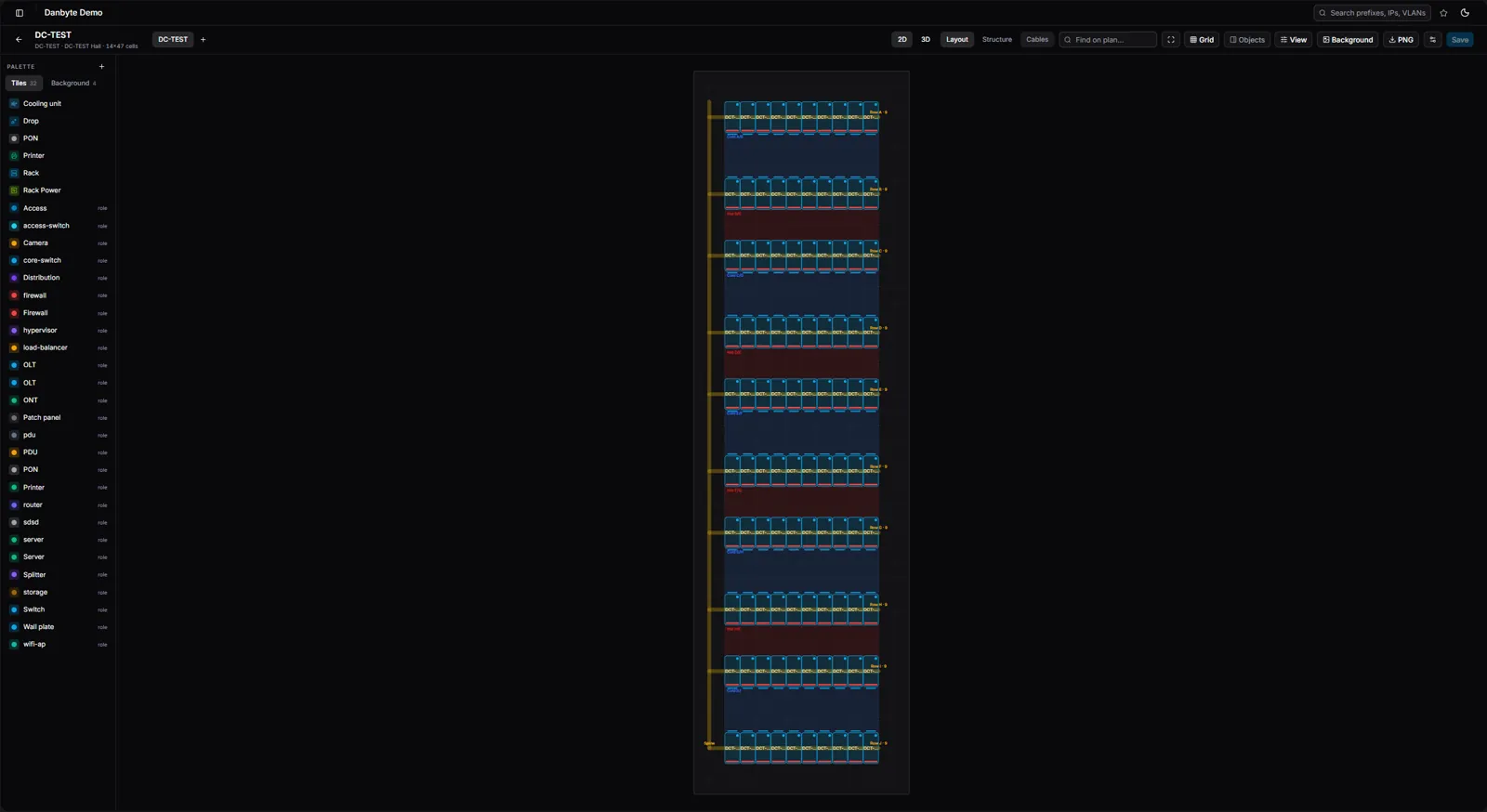
Zoom all the way out to the whole hall, drop to the rear for cabling and PDUs, or flip to a flat 2D layout with hot- and cold-aisle shading — same room, four ways to read it.
Labels you can actually print
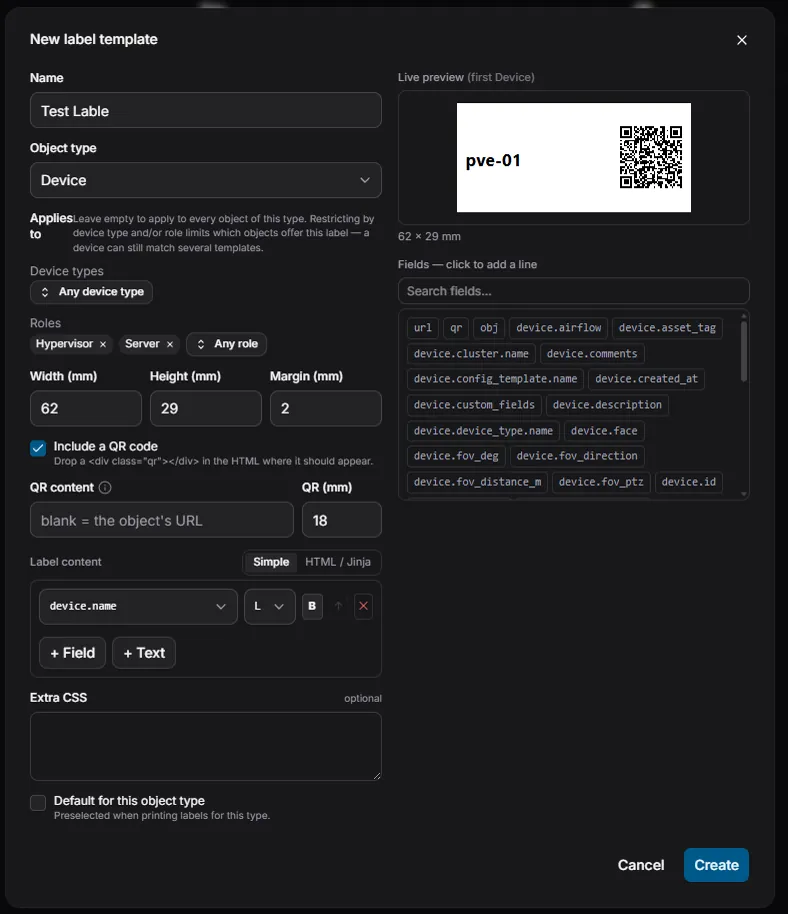
Design once, print at true size
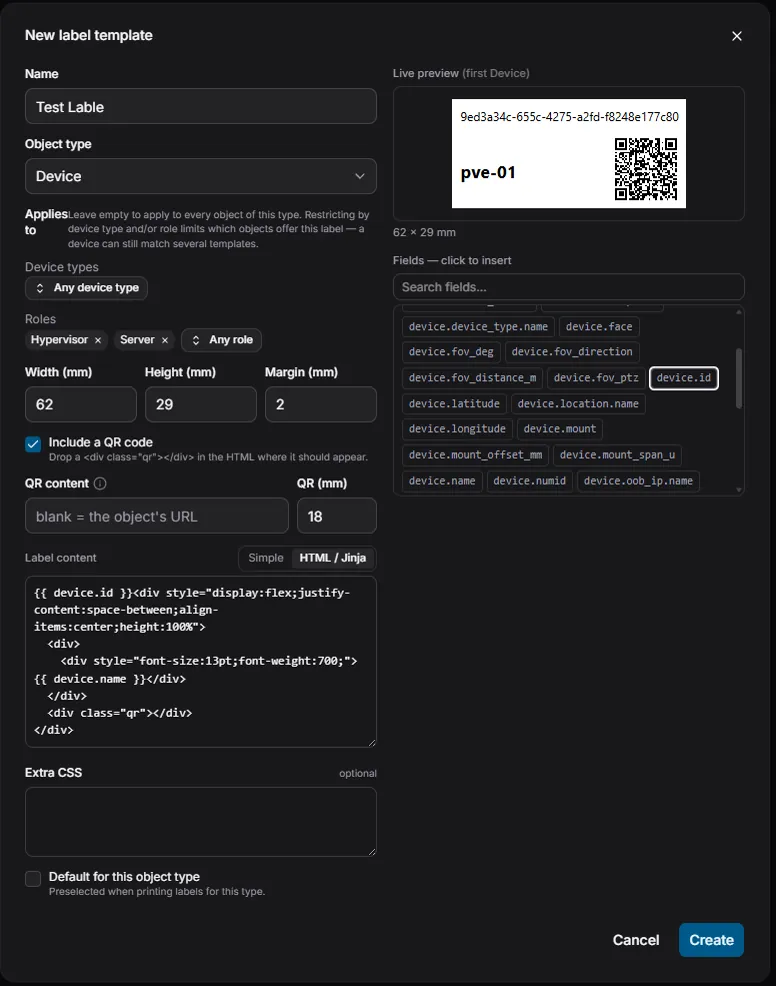
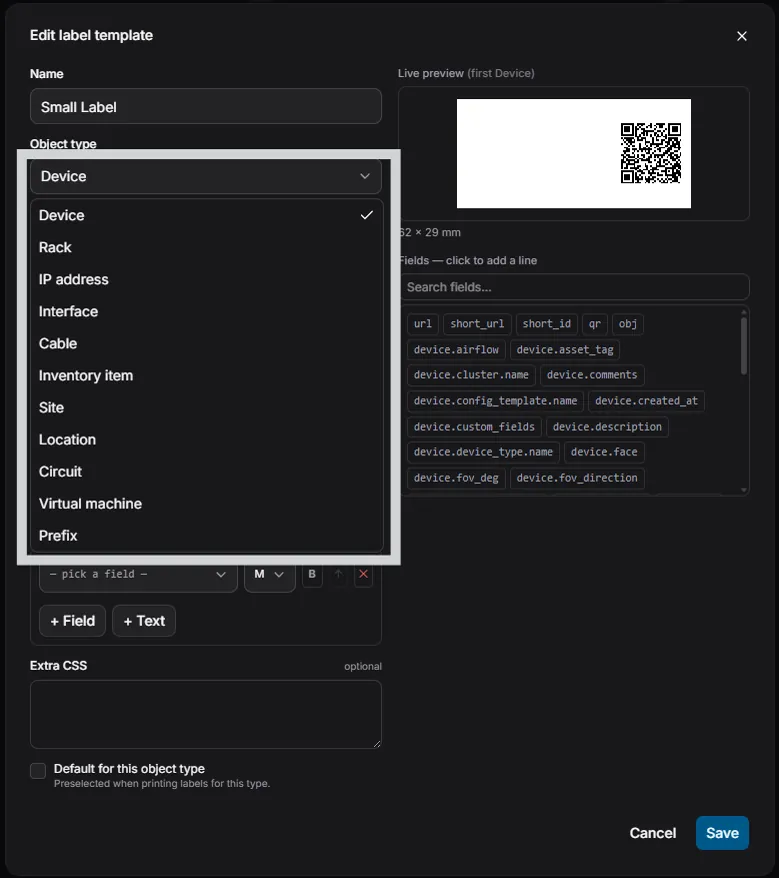
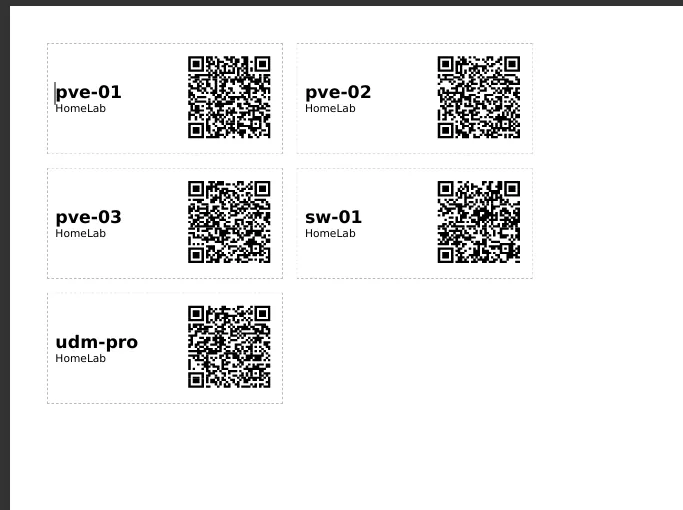
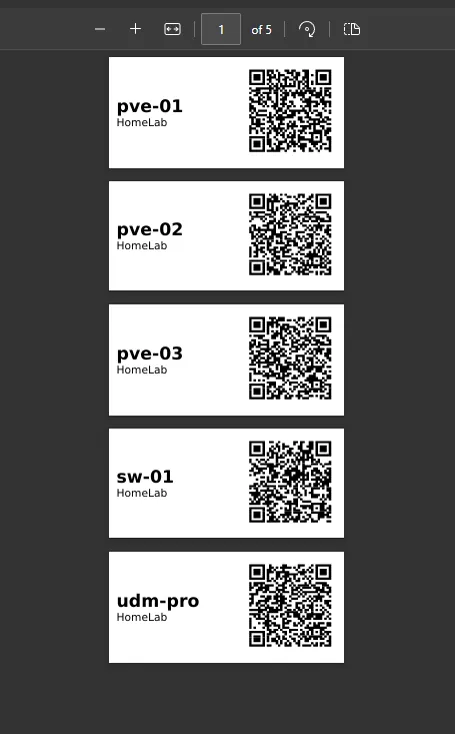
Design a label per object type — device, rack, IP, cable — with a live preview and a QR code, in a low‑code builder or raw HTML/Jinja. Printing renders a PDF sized exactly to the label, so it comes out at true physical size with no browser chrome.
The QR encodes a short link that opens the object — a fraction of the size of a raw UUID — and you can target a template to specific device types or roles.
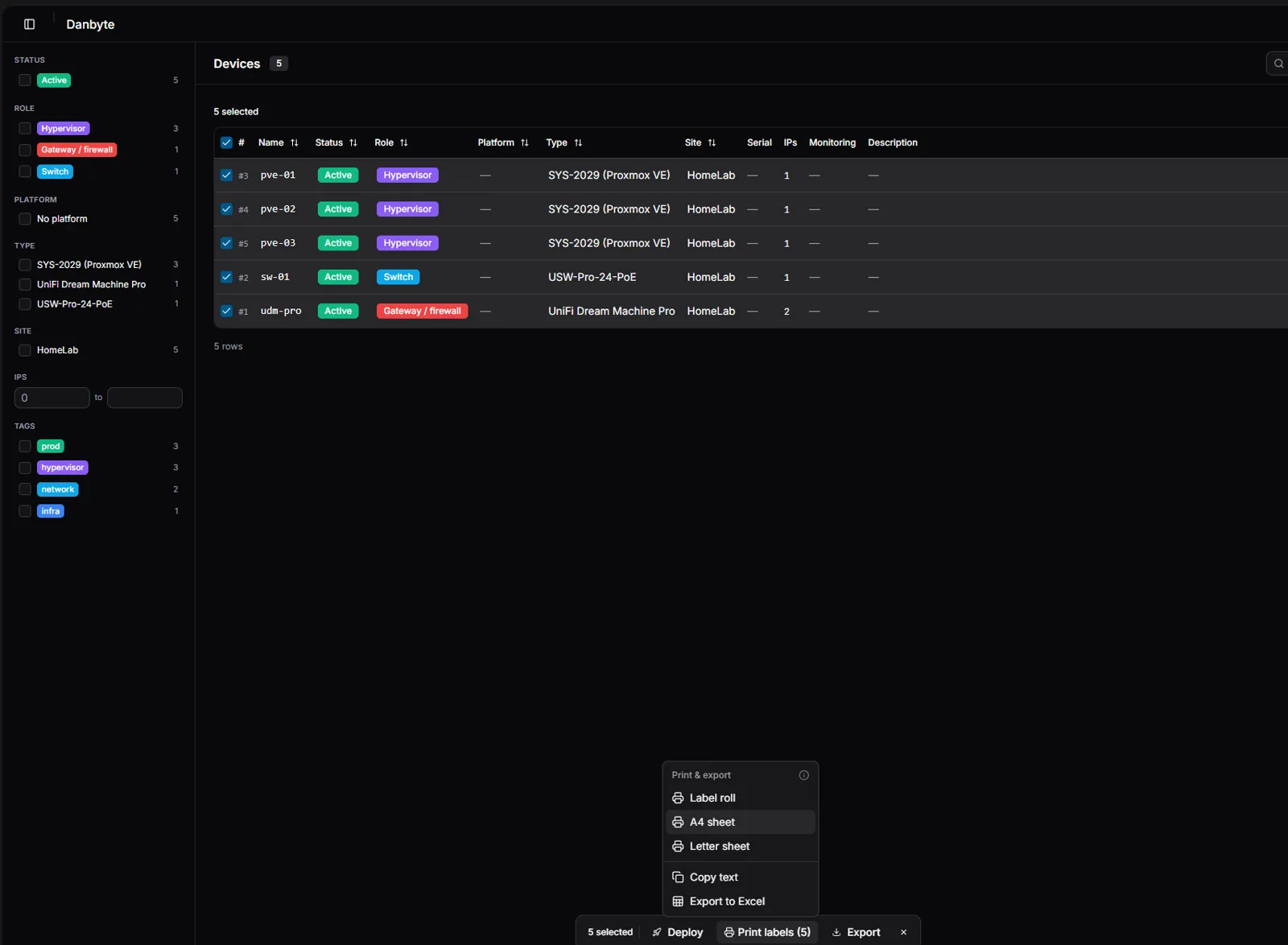
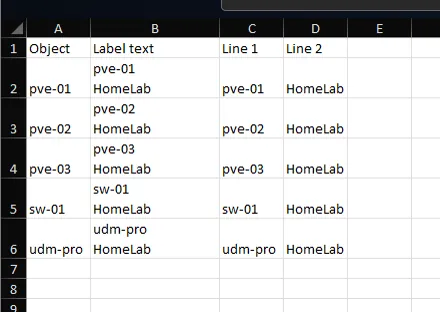
Select any number of objects, then print a label roll, tile them onto an A4 or Letter sheet for an office printer, copy the label text, or export the selection straight to Excel for an external label program.
Attachments
Attach files straight to the object they belong to — a rack diagram, a support contract, a photo of the actual cabling, a config backup. The paperwork now lives with the device, site or circuit it describes, instead of in a share nobody can find.
A dashboard that clicks through
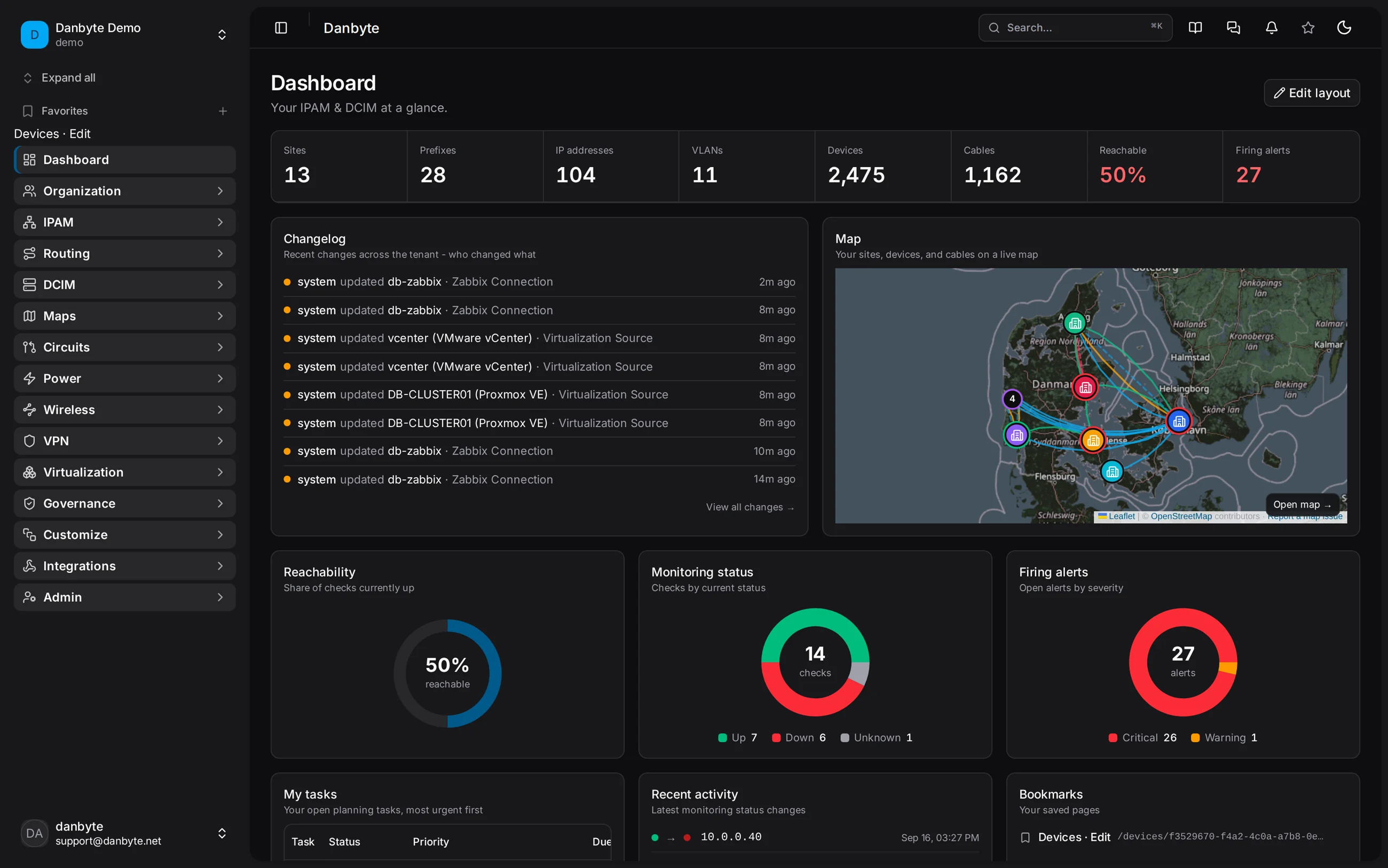
The dashboard is bento widgets you arrange yourself — inventory counts, IP/prefix/device breakdowns, reachability, alerts and certificate health. Now every chart segment is a deep link: click IPs by status → Active and you land on the IP list already filtered; Devices by type, Firing alerts by severity, the cert‑health tiles — all of them open the matching, pre‑filtered list.
IP addresses now have their own list across the whole tenant, filtered by status, role or scope (public / private / CGNAT / special). And you can pin a tab as an object's default landing view — Monitoring, IPs, Journal — so it opens where you actually work instead of always on Overview.
 Pin a tab — Monitoring, IPs, Journal — as the default view instead of Overview.
Reality on the wire: SNMP drift you accept on your own terms
Observe first, reconcile on your terms
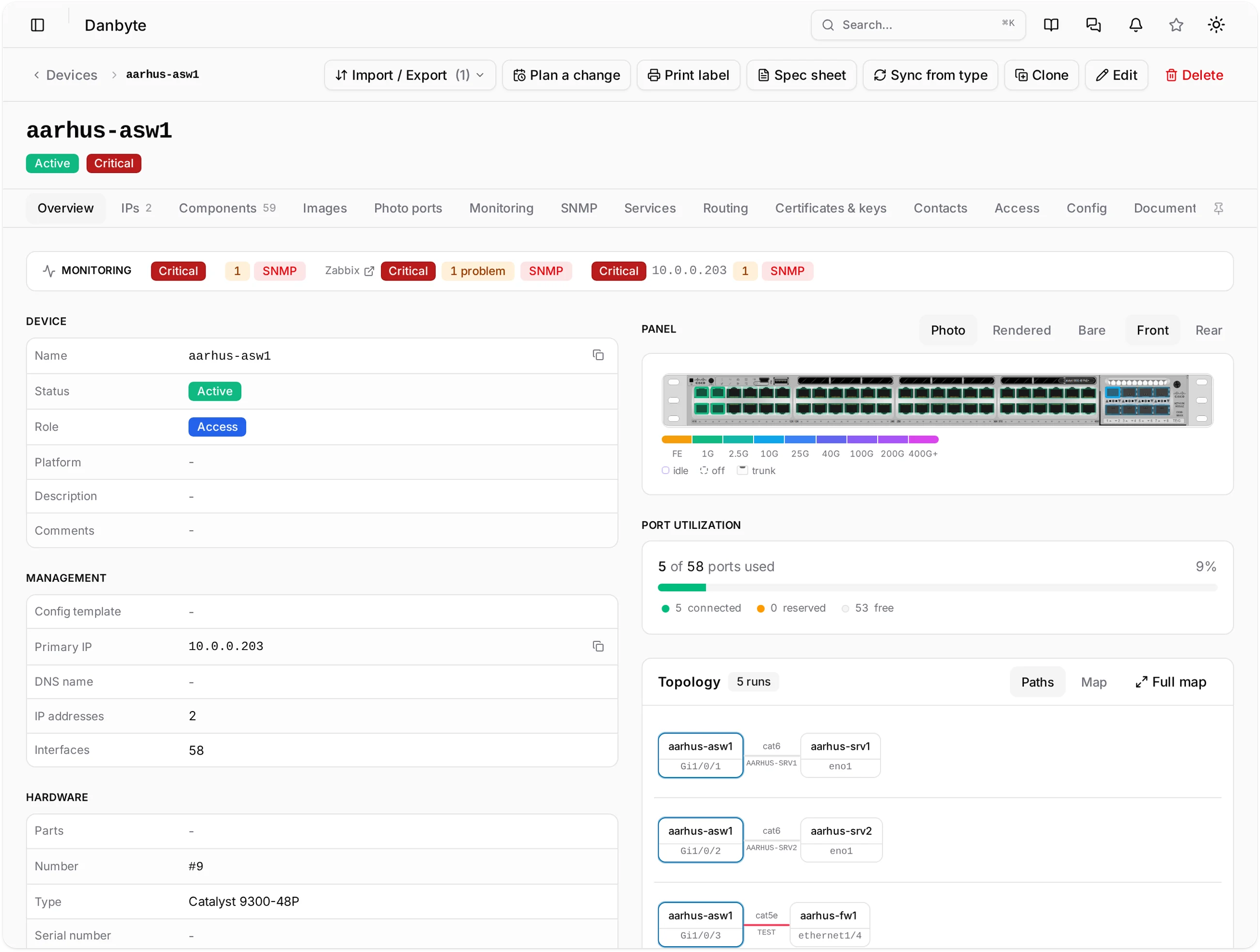
Danbyte polls devices over SNMP into a read‑only observed layer beside your intended source of truth. Nothing is overwritten automatically — differences land in a drift inbox (a wrong hostname, an undocumented interface, a MAC that doesn't match) and you accept them one item at a time.
User‑defined SNMP sensors and Redfish/BMC collection roll hardware health up the same way.
Floor plans and maps that stay live
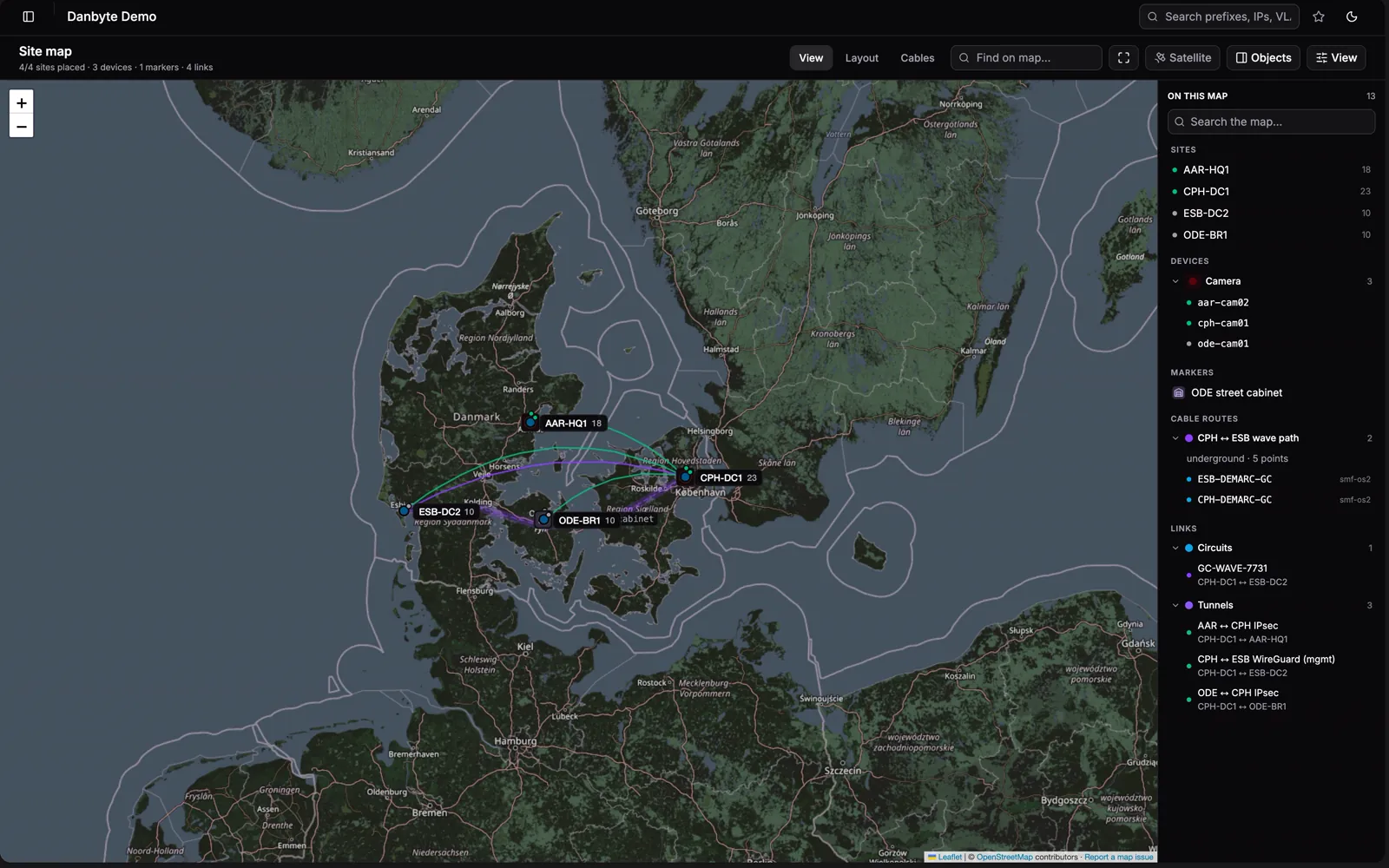
Place racks, tiles and cameras on a real footprint — cameras cast a field‑of‑view cone, racks show utilization and status — then zoom out to a geographic map of every site with the circuits and fibre running between them.
A tour of the release
One-line install
A fresh Ubuntu or Debian server to a running instance in a single command — it resolves the latest release, verifies its published checksum, and provisions PostgreSQL, Redis and nginx + TLS for you:
curl -fsSL https://danbyte.net/install.sh | bash -s -- --host danbyte.example.com
Prefer containers? A production Docker / Podman stack ships too — Postgres, Redis, the WSGI + WebSocket + worker processes, the SPA and nginx, one compose up. Everything the bundle needs is vendored inside, so it installs fully offline after the download — air‑gap friendly by default.
The rest
- A skippable first‑run wizard walks a new install through its first site, prefix, VLAN and device.
- Export a configured device type as a bundle and import it (dry‑run first) into another instance.
- Remote Outposts probe each site over 443 — even NAT'd or air‑gapped.
- Grant‑based RBAC, tenant isolation, and a tamper‑evident audit log throughout.
See the full changelog for every fix and smaller change in this release.