
LAGs, allocation pools and a new form layout
Link aggregation as a real interface, IP ranges as allocation pools, antennas and circuit demarcs cabled like ports, and every edit form rebuilt on one layout. 148 commits, 45 issues closed.
Most of 0.15.0 is about modelling the physical layer the way it actually is. A port-channel is now one interface, not a note in a description. A provider handoff cables to the switch port it lands on. An antenna has gain and bands instead of a free-text field. And IPAM stopped pretending you own a whole subnet when a provider gave you seven addresses of it: ranges act as allocation pools, and a prefix can be told to allocate only from them.
It is a big release: 148 commits since 0.14.3 and 45 closed issues, most of them filed by people running Danbyte on their own networks. This is the long version. The release note on GitHub has the full list.
Link aggregation done right
Start with the model. An aggregate is an interface of type LAG. It is not a separate object with its own pages, so it carries IPs, VLANs, a status and cabling like any other port, and devices report it as one. The bundle settings live on that interface: protocol (static, LACP or PAgP), LACP mode and rate, and minimum links. The terminology falls out of that: the port-channel is the bundle, LACP is one of the protocols that negotiates it, static and PAgP are the others.
Members may sit on any member of the same virtual chassis, so a stack's port-channel lives once, on the master. Say Po1 on a stack has two physical ports on two different chassis members. The LAG picker on each member's interface offers aggregates only, with an inline New aggregate when the one you need does not exist yet, and the interface table gains a LAG column. The member's own page carries a chip reading Member of Po1 · LACP active.
 port-channel10 on aarhus-core1: the Bundle card with protocol, capacity and the peer aggregate Po1 on the stack, and both member runs beside it.
The aggregate's page has a Bundle card with the bundle's capacity, its peer aggregates and a min-links verdict, plus a Members tab and the members' cable runs. The device overview groups a bundle's runs together.
 Po1's Members tab: Te1/1/1 on aarhus-sw1 and Te2/1/1 on aarhus-sw2, two members of the same stack.
Topology folds member cables into one thick edge when Bundle aggregates is on under Display, so a bundle between two switches is drawn as one link, however many cables it has.
 aarhus-core1 to the stack in the wiring view: the bundle drawn as one edge, Po1 to port-channel10.
SNMP discovery reads membership from the LAG MIB, falling back to ifStackTable, creates aggregates typed LAG, and reports lag_membership drift when the device and the record disagree; sync applies it. Migration api.0153 promotes untyped aggregates that already have members to type LAG, so existing records join the model without a hand edit.
IP ranges as allocation pools
The case that started it: a provider hands you 192.173.199.61 to .67 inside 192.173.199.0/24. The /24 is not yours. Seven addresses are. Danbyte used to treat the whole /24 as allocatable space, which made next available, utilisation and free rows all wrong.
Two steps fix it. First, adding an IP inside a subnet that holds ranges now offers a Range field: it shows what is free in the range, gives one-click picks, has a Next free button, and nudges you when the address you typed falls outside. The range page's Addresses tab is the ordinary IP table cut to the span, with free rows you click to add, and a Compact fold that the prefix IPs tab has too.
 Adding an address inside 192.173.199.0/24: the Range field, 3 of 7 free, Next free and the one-click picks.
Second, Allocate only from ranges on the prefix makes the ranges its whole allocatable space. Next available walks the ranges. Show available and Add pool offer only range addresses. Utilisation counts against the ranges' size, so the card reads Used 1 of 7 · Free 6 rather than 1 of 254. The IP form requires a Range pick.
 The prefix page with Allocate only from ranges on: Used 4 of 7, and the allocation rows in Subnet details.
And the API refuses a new address outside every range. The error tells you what to do about it:
192.173.199.0/24 allocates only from its ranges (192.173.199.61–192.173.199.67).
Add a range covering this address, or turn off Allocate only from ranges on the prefix.
 The IP form after trying an address outside the range: the refusal names the range and says what to do.
Demarcs, antennas and interface status
Circuit terminations cable like ports. The provider handoff now cables to the switch port it lands on, with a Device/Circuit toggle on each cable end. Traces and the device Paths tab run out to the demarc, and the circuit page's termination card shows Cabled to.
Antennas are a dedicated component with a device-type template. The fields are structured rather than free text: gain in dBi, bands as a multi-select, polarization, RF connector and a direct-mount flag. They can be filtered, exported and drawn, which a notes field cannot. RF connector types join the aux-port vocabulary, so a coax run from an access point to an external antenna is an ordinary cable with two ends. Antennas get their own pane on the device Hardware tab, ride along in bundle export and import, and faceplates draw RF slugs as antenna stubs.
 hq-ap1's Hardware tab: four dipoles with gain, bands, polarization and an RP-SMA connector, marked direct mount.
Interface lifecycle status. Every interface now has a status: Active, Disabled, Planned, Not present or Decommissioning. SNMP sync sets it where it applies, utilization and monitoring respect it, and it has bulk edit and filters like any other field.
 aarhus-sw1's interfaces: Gi1/0/48 reads Not present, Po1 is a LAG row with its links, and the Te ports below it carry the Po1 chip.
Every edit form on one layout
You will run into this one first. Every edit form is now on the sectioned card layout. Two columns where they earn them, one where they do not. Wherever a table shows a coloured badge, the form now shows a coloured picker for the same field. Cmd or Ctrl and Enter saves. Dialogs grow to fit their content instead of scrolling sideways. Custom-field groups become their own cards.
 Editing a device on the new layout: sections as cards in two columns, coloured status and role pickers, custom fields in their own card at the bottom.
The smaller form changes fit the same pattern. Circuit dates use the calendar picker. Long select values truncate with a hover reveal. Custom-field rule pickers are searchable. The cable form's port panel truncates long interface prefixes with a hover reveal, gets a Hide toggle, and flags a port that already has a cable before you pick it.
 The status picker on a device form: the same coloured badges the tables show.
Fleet operations
Sync a device type's whole fleet. The device-type page gets Sync devices: a preview, then a warning step that counts what will be removed and turns red when interfaces carrying IPs are among it, then a background run with progress and a per-device permission re-check.
 Sync devices on the Catalyst 9300-48P type: 4 of 12 devices would change, and the removal line is red because two of the extras carry IP addresses.
Photo ports per device, with stable markers. A device can override its type's photo-port layout on a Photo ports tab, with Reset to type layout to go back. Interfaces and front and rear ports carry a printed label shown in tables, hovers and traces. Ports keep a frozen marker identity, so renaming never orphans a photo marker. That last one fixes a real bug: bulk-renaming component templates used to leave markers on the old names, and sync-from-type then stamped them again as bare Other interfaces on every device of the type. Renames now follow into photo markers, faceplate slots and placed ports, and migration api.0155 repairs types already in that state.
 aarhus-sw1's Photo ports tab, overriding the type's layout, with Reset to type layout next to Save.
Device-type import for air-gapped servers. The devicetype-library import gets a Fetch with my browser tick: your browser downloads the YAML and sends it up, so the server never has to reach GitHub.
 The import dialog with Fetch with my browser ticked.
Smaller things
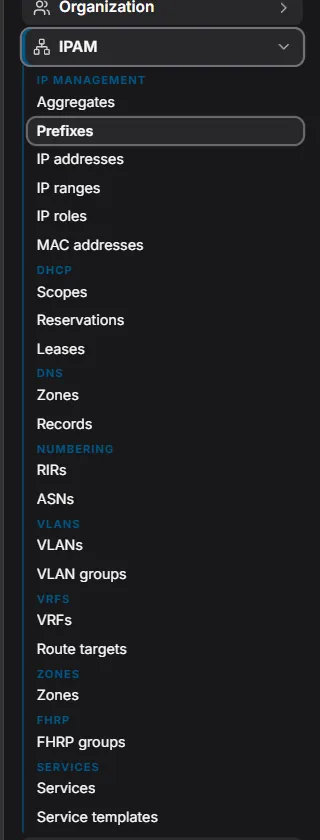
The sidebar shows where you are
It sits tighter too: 24px rows, a primary bar on the active category's band, and a rail down the cluster that holds the current page. Here IPAM is open and Prefixes is the page.
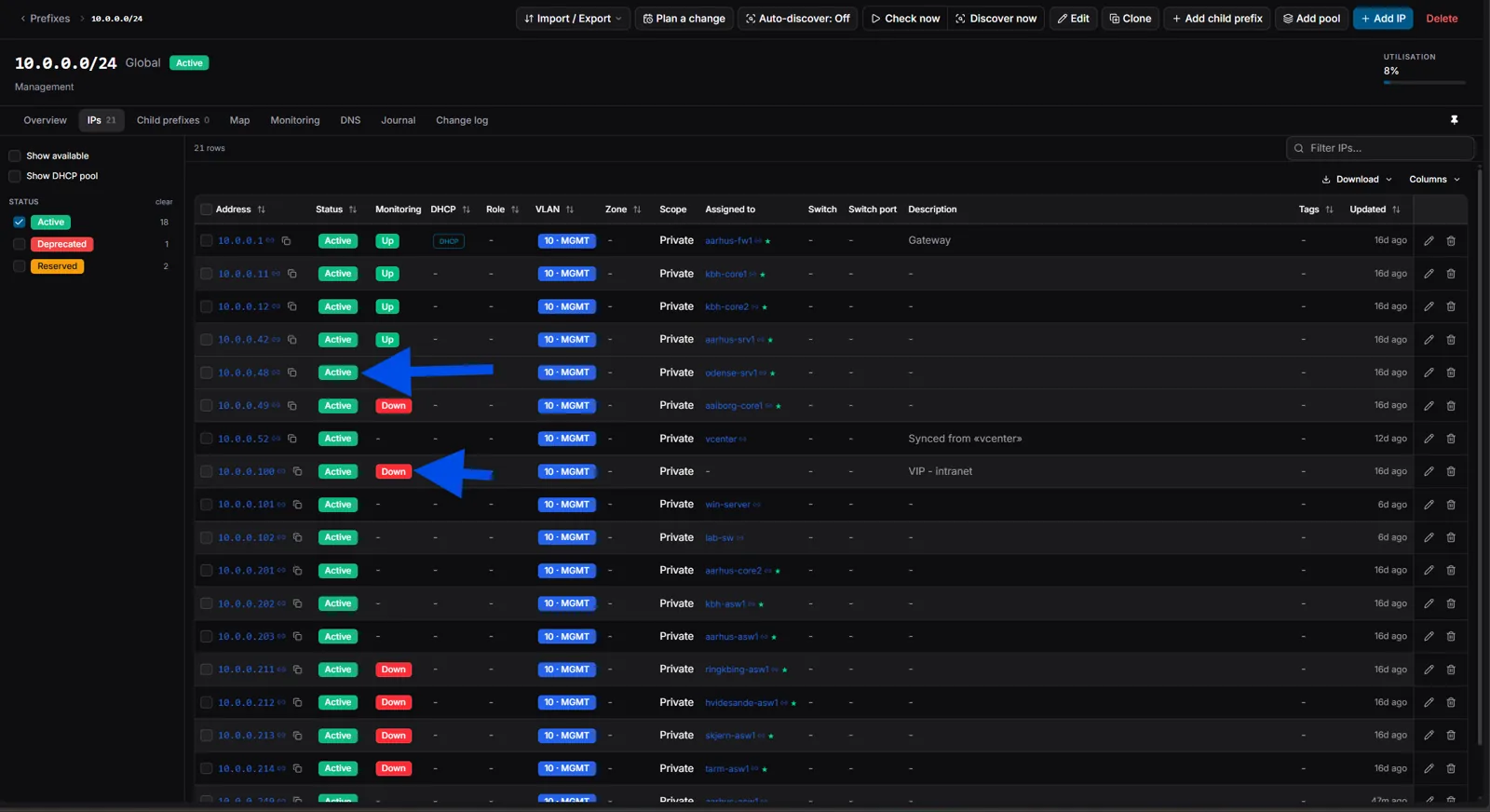
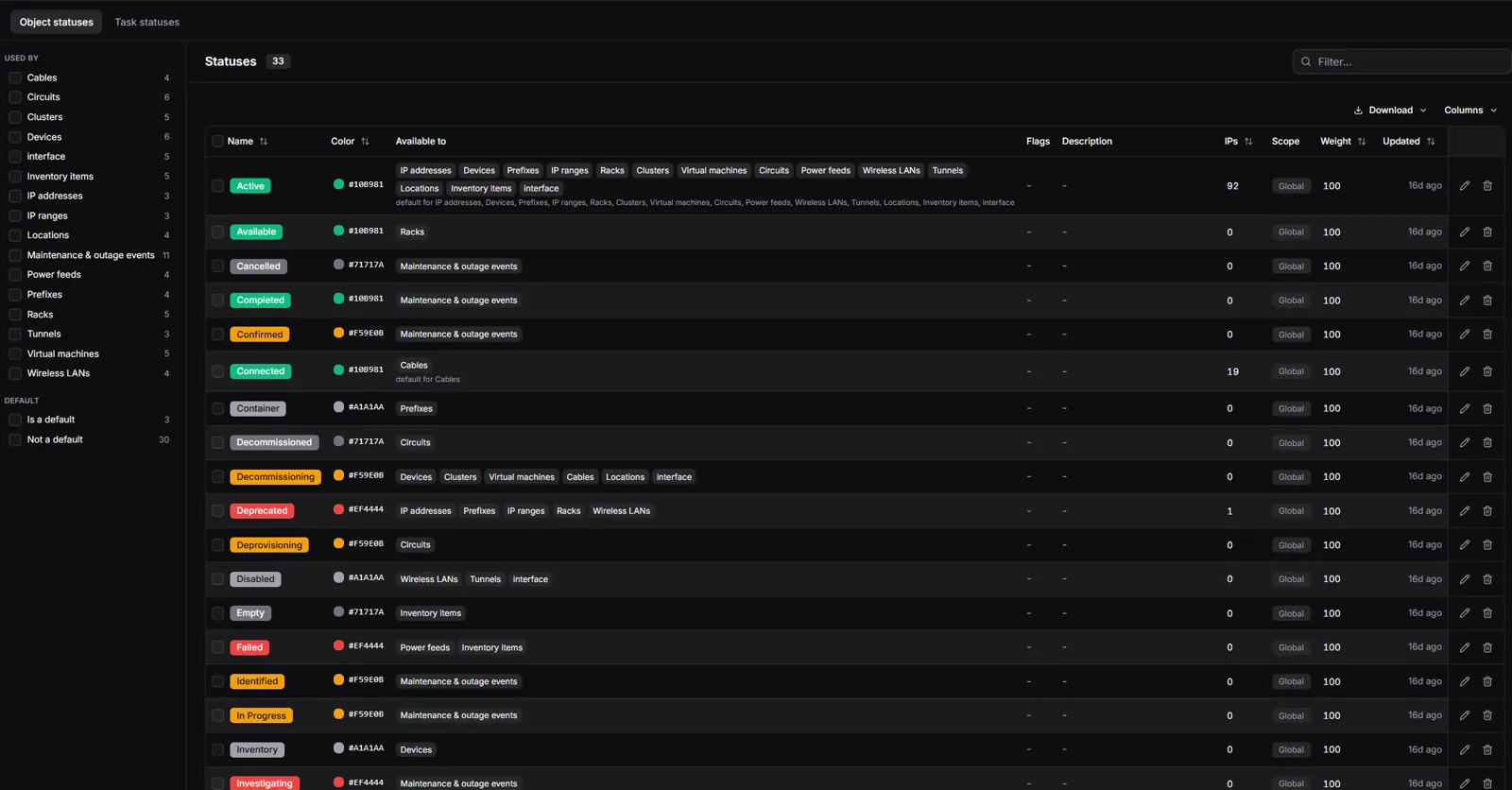
In tables, status, VLAN and role headers sort everywhere, sort headers show their direction, and clicking a tag chip or an enum badge in a cell toggles that filter in the rail. The statuses list shows the colour value, a swatch and the hex next to the badge, sortable.
Custom-field values are searchable, in the global search bar and in every list's filter box, so an imported NetBox id finds its object. Custom-field definitions can be hidden: the value stays on the object and in search, but no card, table, popover or form shows it, and the NetBox importer creates its netbox_id and netbox_tenant definitions hidden.
Faceplates got two settings. A deployment setting lights up ports marked connected like cabled ones, drawn in their speed tier. Rendered faceplates no longer print the interface prefix before each port group, because it pushed dense panels past their card; Settings, Admin, Faceplates turns it back on.
 A rendered 9300 faceplate without the Ethernet1/ label in front of every group, and no scrollbar.
Floor plans clone with everything drawn on them, and Show on floor plan zooms onto the tile, with a menu when the object sits on several plans. Every page names its browser tab.
 Clone on the floor plans list.
Fixes
Site SNMP and engine bindings stopped disappearing. There were two causes. Site-scoped users were refused the profile catalog, so the select rendered empty. The more interesting one: browser autofill was firing change events on the form's hidden native selects, and the save-on-change controls persisted whatever autofill had put there. Changes without a user gesture are ignored now, and the controls stay disabled until they have loaded.
Clicking a MAC no longer returns a 500 on tenants that poll VMs, and sightings name the device or the VM. Device pages stay inside the viewport, with tables scrolling in their own containers. Change-log filters survive back navigation, port utilization has its own saved views, the site map cannot be squeezed to nothing, and serializers that override validate() run the base validation again.
Upgrading
Migrations apply automatically: interface status seed, antennas, business hours, SSID PSK references, hide-local-login, VLAN matching, the circuit-termination cable point, device-type run kinds, LAG fields (api.0153), kbps speed normalisation (api.0154), the photo-marker repair (api.0155), allocate-from-ranges (api.0156), the faceplate settings (core.0046, core.0047), hidden custom fields (customization.0006) and SNMP policies (monitoring.0079 to 0081).
Three things to do by hand, if they apply to you:
- LAG membership now requires the target to be type LAG. An importer must create aggregates typed LAG before it adds members. Outposts report LAG membership once their vendored
danbyte_checksis synced; older agents keep working, without membership drift. - The devicetype-library browser fetch needs
raw.githubusercontent.comandapi.github.comin nginx'sconnect-src. The shipped template has them; a hand-written config must add them. The docs-redirect fix (proxy_redirect / /docs/;) likewise only reaches existing installs when their nginx config is regenerated or patched. - Rendered faceplates hide the interface prefix by default. Settings, Admin, Faceplates, Show interface prefixes on rendered faceplates restores it.