
Measure what you promised, not what you remember.
An agreement states the availability you owe over a period and the hours it covers. The figure comes from the same status changes the History tab shows, time-weighted, stored per period and frozen once the period closes.
An agreement, and what it is measured over
A target runs over a calendar month, quarter or year in the agreement's own timezone, or a rolling 7, 30 or 90 days. Service hours and a holiday calendar take time out of the measurement altogether, so an office-hours promise is not quietly judged on a Sunday night.
Periods are Open while they recompute every fifteen minutes, Closed for seven days so a late exclusion can still be added, then Frozen. The counting rules are revisioned, so a closed period keeps the rules it actually ran under.
Coverage sits beside every figure
Unmeasured time counts as neither up nor down. It lowers coverage, which is shown next to the availability and puts a dashed outline on the badge below 90 %.
That is the part most availability reporting quietly gets wrong. A clean 100 % measured over a third of the month is not a pass, and Danbyte will not present it as one.
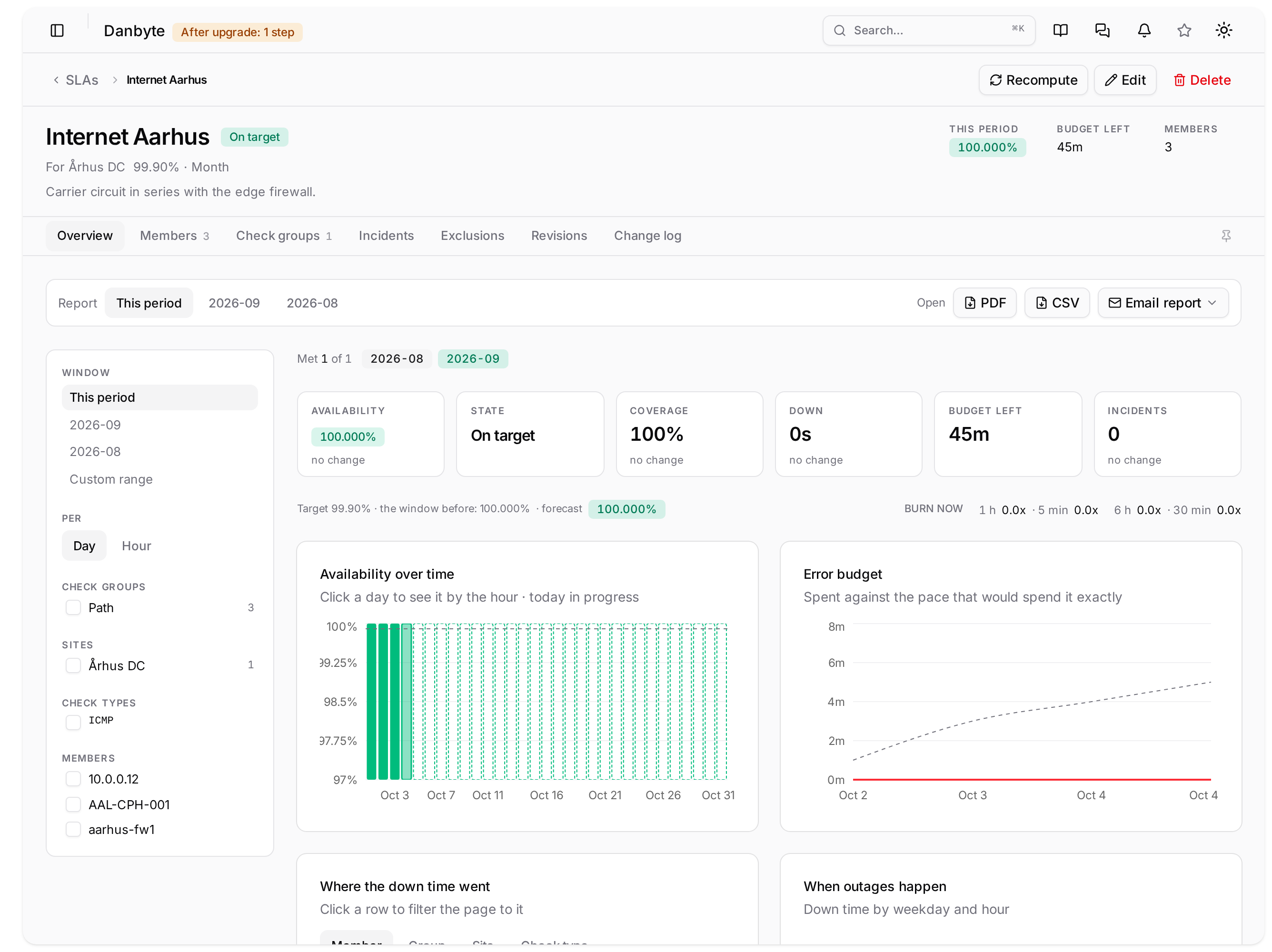
A good month should look like one
The same page when nothing went wrong: on target, full coverage, every burn window at zero, and a report you can send without editing it first.

Members, units and redundancy
Members are devices, virtual machines, addresses, prefixes, circuits and switch stacks. A circuit is measured on the addresses cabled to its ends, followed through patch panels, or on a monitor address such as the carrier's far-end gateway. Devices can join by selector, so one added to a site or a role later joins without anyone remembering to.
A redundancy group counts a pair as one unit, down only while all of it is down, and units combine as *Average*, *Worst member* or *All must be up*. That last one is a service in series: the carrier circuit, then the firewall pair behind it.
Burn-rate alerts, while the month is still saveable
Two rules watch how fast the error budget is going. Fast compares a one-hour and a five-minute window at 14.4x, slow a six-hour and a thirty-minute window at 6x. A rule fires only while both of its windows are burning at or above the threshold, sends one message when it starts and one when it stops, and is checked every minute.
The point is to hear about a sharp outage in its first hours rather than when the month is already gone. Windows and thresholds are yours to change.
Where the time actually went
An agreement's Overview computes any period or custom range live, per day or per hour, sliced by check group, site, check type, redundancy group or member. The charts answer the questions that follow a bad month: which member spent the budget, when the outages happen, how long they last, and whether latency is drifting towards its objective.
Credits, and something to send
Service credits price the tiers below a target as a share of the period's fee, with a currency, so a breach produces an amount rather than an argument. They sit behind a *view credits* permission, and a sliced analysis never shows one.
Reports download the selected period as a PDF or a CSV and can be emailed when the period freezes or on a schedule. Every report cell that begins with =, +, -, @, a tab or a return is written as text, so a spreadsheet cannot be talked into running it.
- Alerts
- Breached, at risk, low coverage and latency objective, to any notification channel, once per period.
- Incident follow-up
- A cause, a ticket, a note and a disputed flag per incident. Disputed time still counts; an exclusion is what takes time out.
- Templates
- Gold, Silver and Bronze hold target, hours, rules and credits. An agreement that differs is brought in line with Sync, as a new revision.
- Metrics
- Every stored period as CSV or JSON, per agreement or for all of them at once.
On the objects, not just in the SLA pages
Device, VM, chassis, address, prefix, circuit, site and cluster lists gain an SLA column showing the strictest agreement's figure against its target, and an Availability column over a window you pick, which says how much of that window was actually measured. An object in no agreement shows a dash, not a failing figure.
Holidays are a calendar, not a checkbox
Calendars are shared across the tenant and edited on a year view: click a day to toggle it, mark fixed dates to repeat every year, paste dates and ranges or open an .ics file. Every agreement using the calendar skips its days, and frozen periods keep the figures they already had.
Questions
- Where does the figure come from?
- From the status changes Danbyte already records, time-weighted and stored per period. Because the figure is stored rather than recomputed from raw results, a report for last month reads the same after the results have been pruned.
- Does disputing an incident change the number?
- No. A dispute is a note on the incident and the disputed share is shown separately. An exclusion is the thing that takes time out of a measurement, and it needs a reason.
- Can I report to a customer from this?
- Yes. A period downloads as a PDF or CSV with the figure, the budget, the incidents, the rules, availability per day and the members worst first, and it can be emailed automatically when the period freezes.
In the documentation
See it with real data.
The live demo is a private instance with a populated estate, yours for thirty minutes. Or install it yourself in a few minutes.