
Planning becomes a first-class discipline
Danbyte 0.11.0 turns planning into a real discipline — Kanban boards and tasks, a full scheduling calendar, maintenance windows ingested from your carriers, and planned changes that turn intent into applied records — plus advanced filtering, saved views, and sharper SNMP.
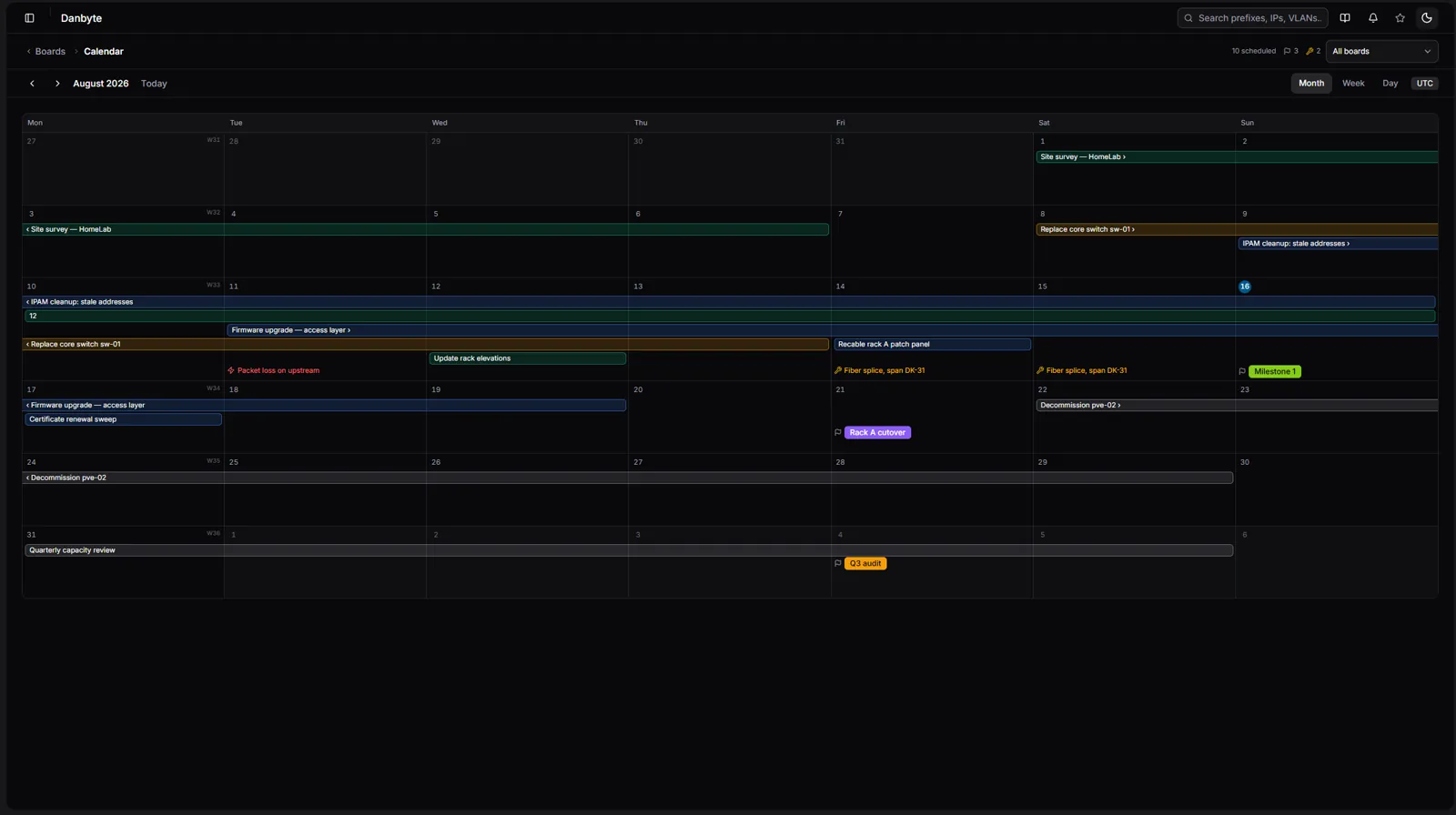
Around 350 commits went into 0.11.0, and they point in one direction: planning stops being a sticky note and becomes part of the source of truth. Boards and tasks, a calendar that finally works like a proper scheduling grid, maintenance windows pulled straight from carrier email, and planned changes that carry your intent all the way to an applied, audited record. On top of that: advanced filtering with saved views, and a sharper SNMP layer.
Planning boards & tasks
Planning starts with Kanban boards you actually shape yourself. Columns are added and removed right on the board — a dashed Add column rail on the right, a hover-trash on each column header — so the board maps to how your team works, not a fixed template. Boards are first-class objects too: rename and re-tag them from a pencil beside the title, and the Planning list gives you search, a tag-facet rail, inline row edits, and bulk delete.
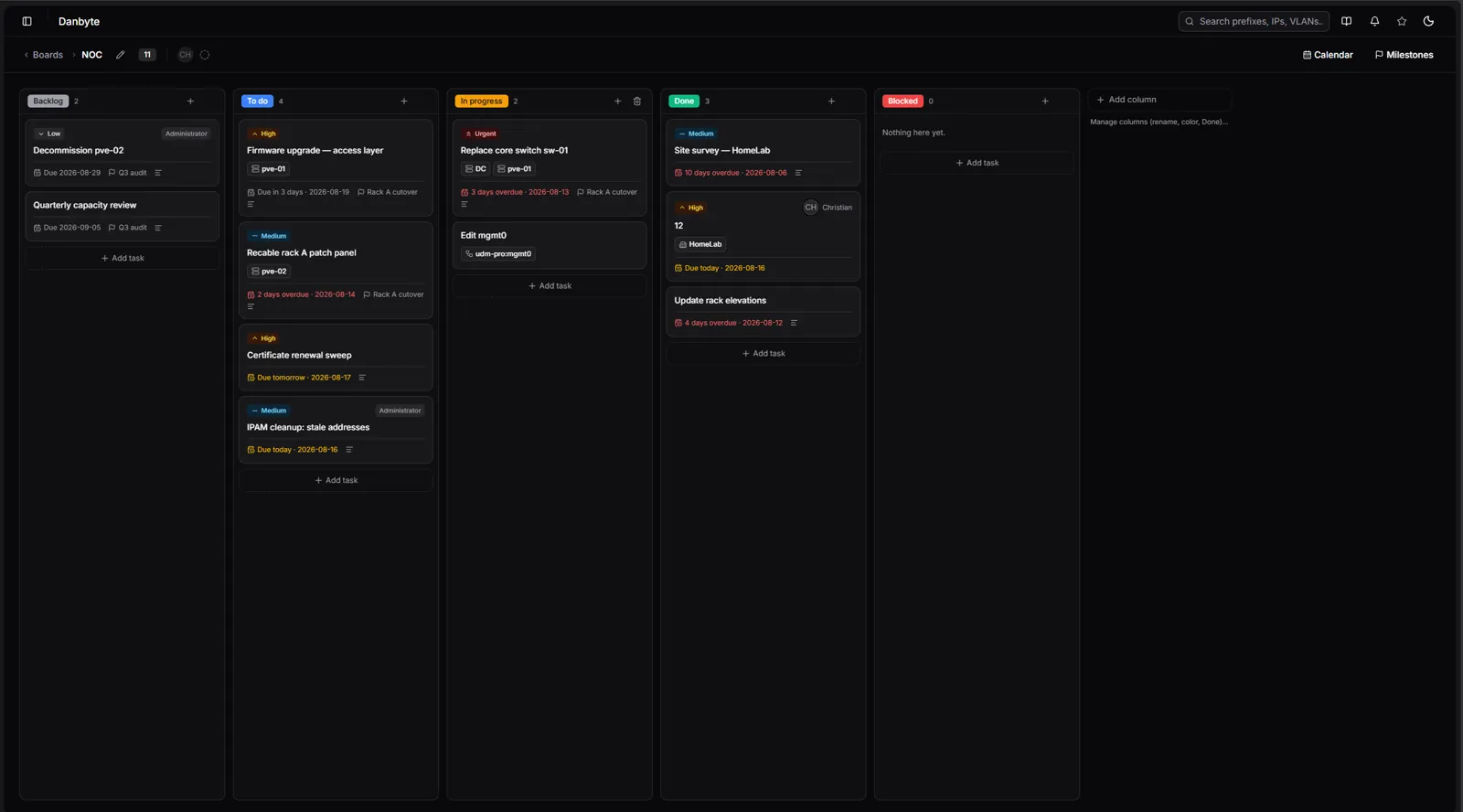
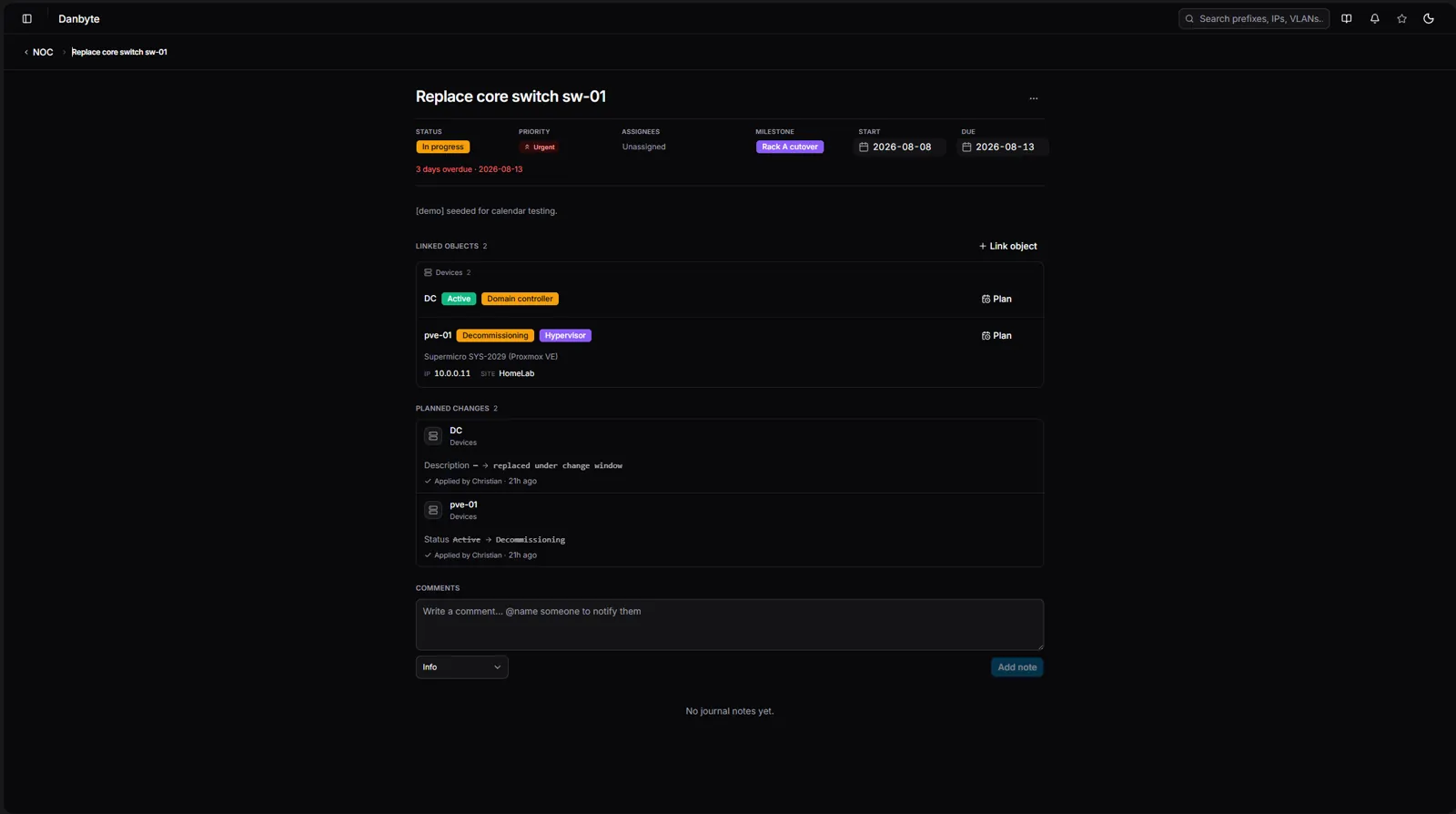
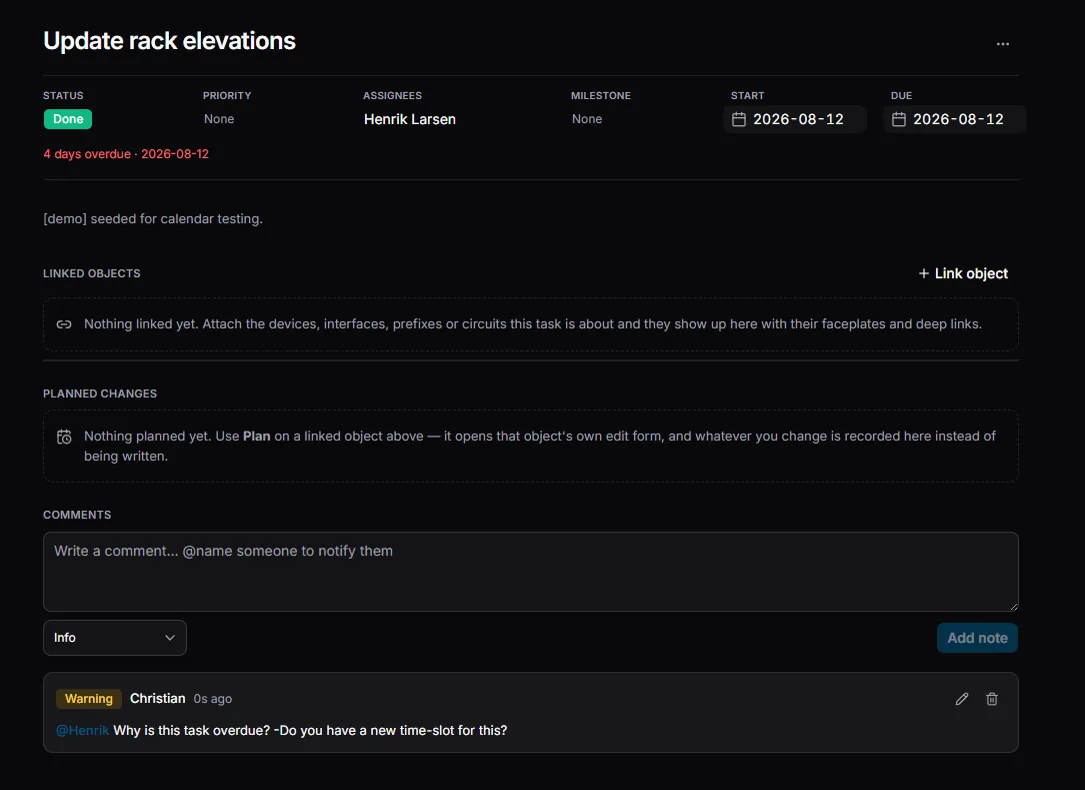
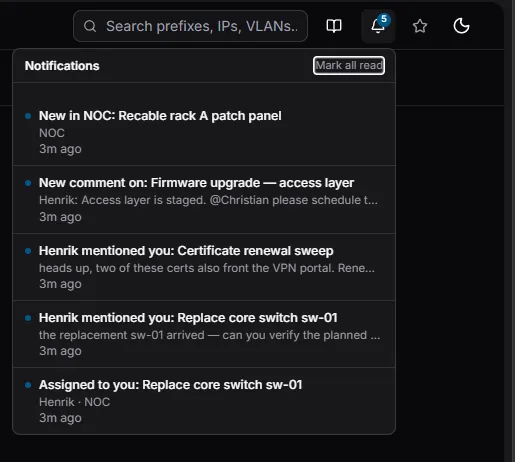
Tasks are where the work lives. Each has its own page with @mentions, assignment groups (a NOC queue plus the people doing the work), and notifications that respect people's time: personal email with per-kind opt-outs, a daily "your work" digest, and a notification bell in the header. Tasks also take optional times — next to a start or due date sits a time picker with hour/minute columns, honoring your 12- or 24-hour preference.
Calendar — a real scheduling grid
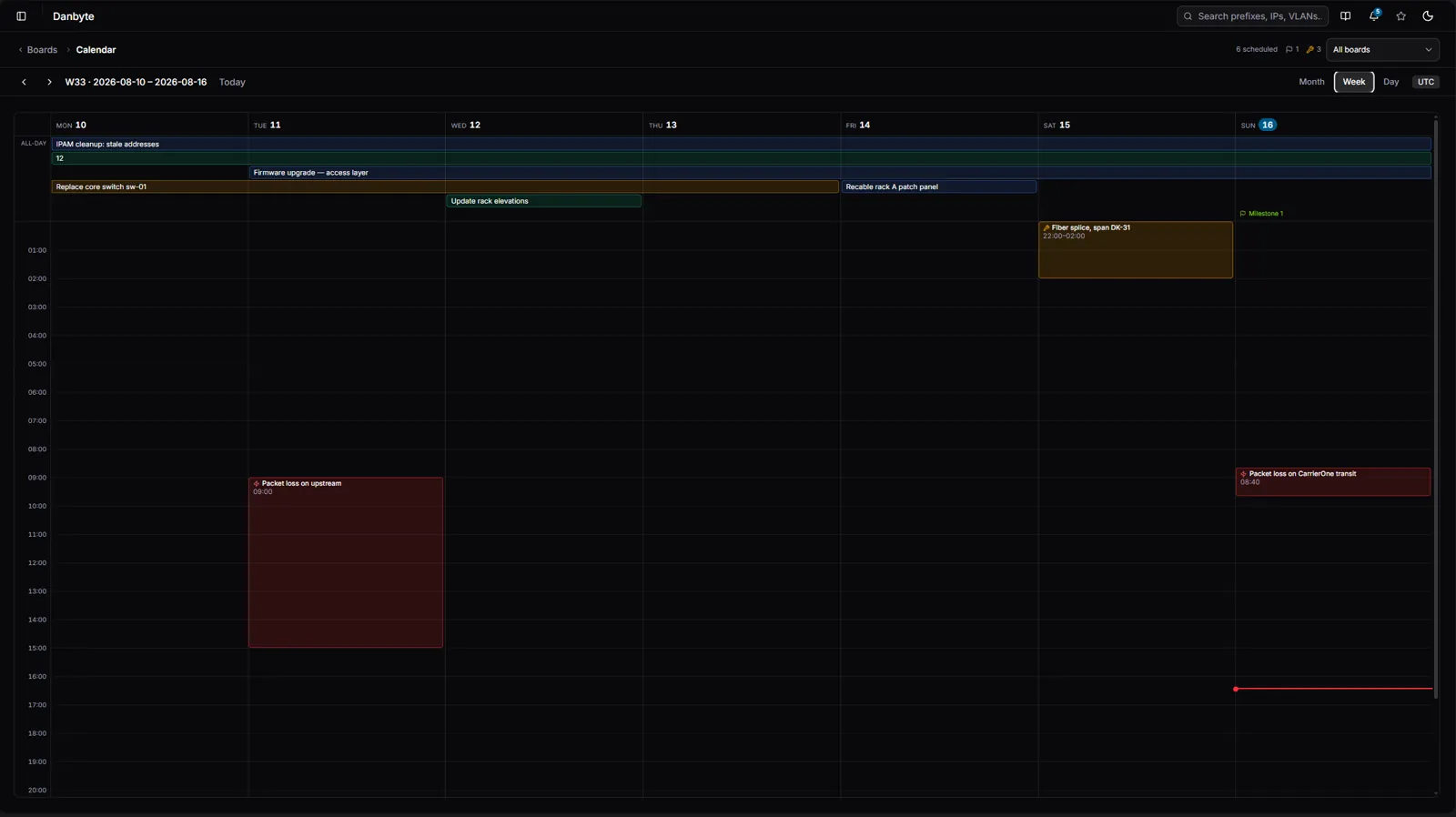
The calendar was rebuilt into a real scheduling surface.
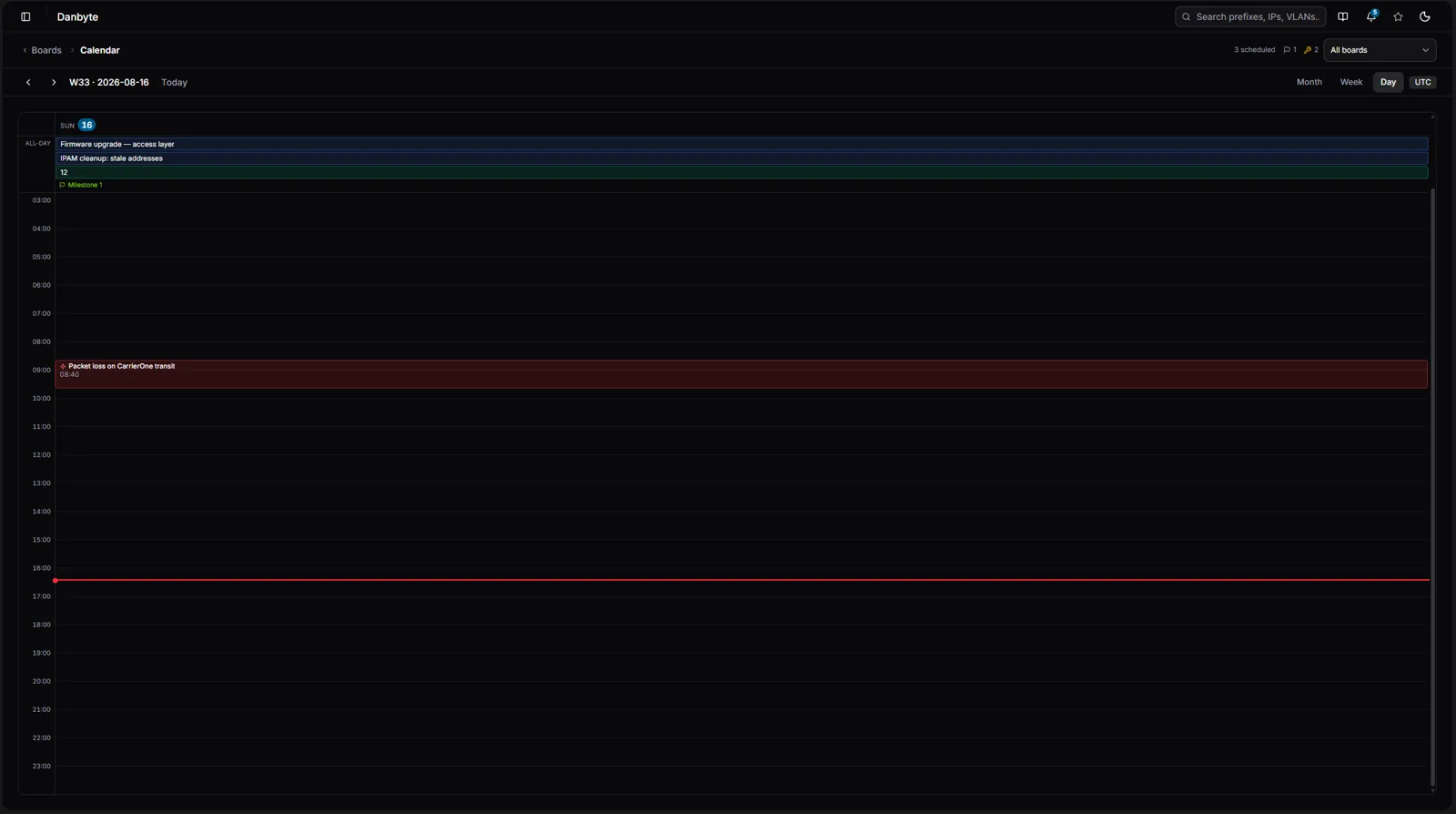
- Week and Day are now an hour grid: days as columns, an hour axis down the side, and maintenance windows and outages drawn at their real times — overlaps sit side by side, and a red "now" line tracks the current time on today. A sticky all-day band across the top holds task spans, milestone flags, and planned-change markers, and timed single-day tasks render as blocks right in the grid.
- Month view adds ISO week numbers, and you can drag a task bar to re-date it. Every view is URL-addressable, so a link opens exactly the week (and task) you meant.
Planned changes: intent you can apply
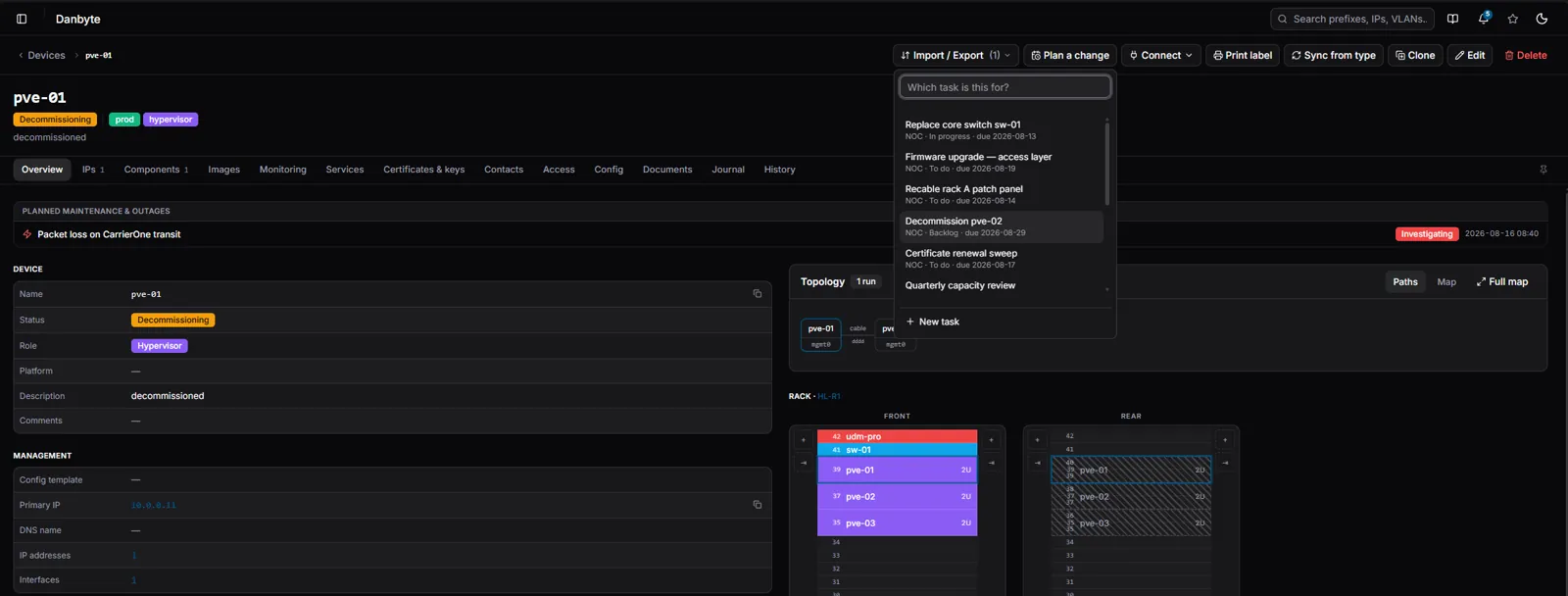
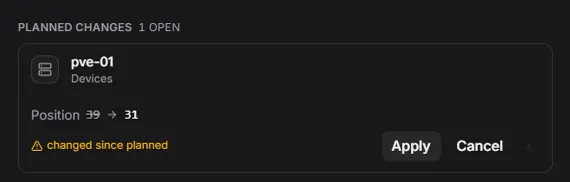
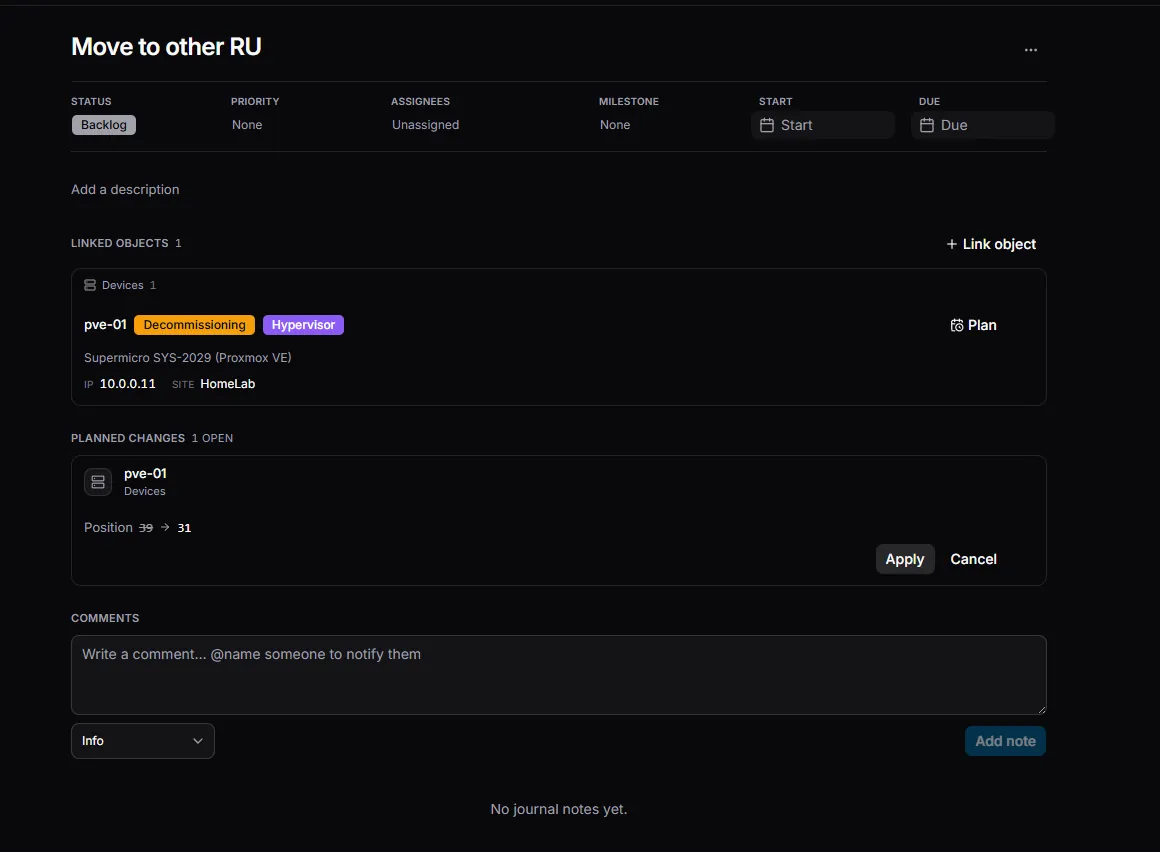
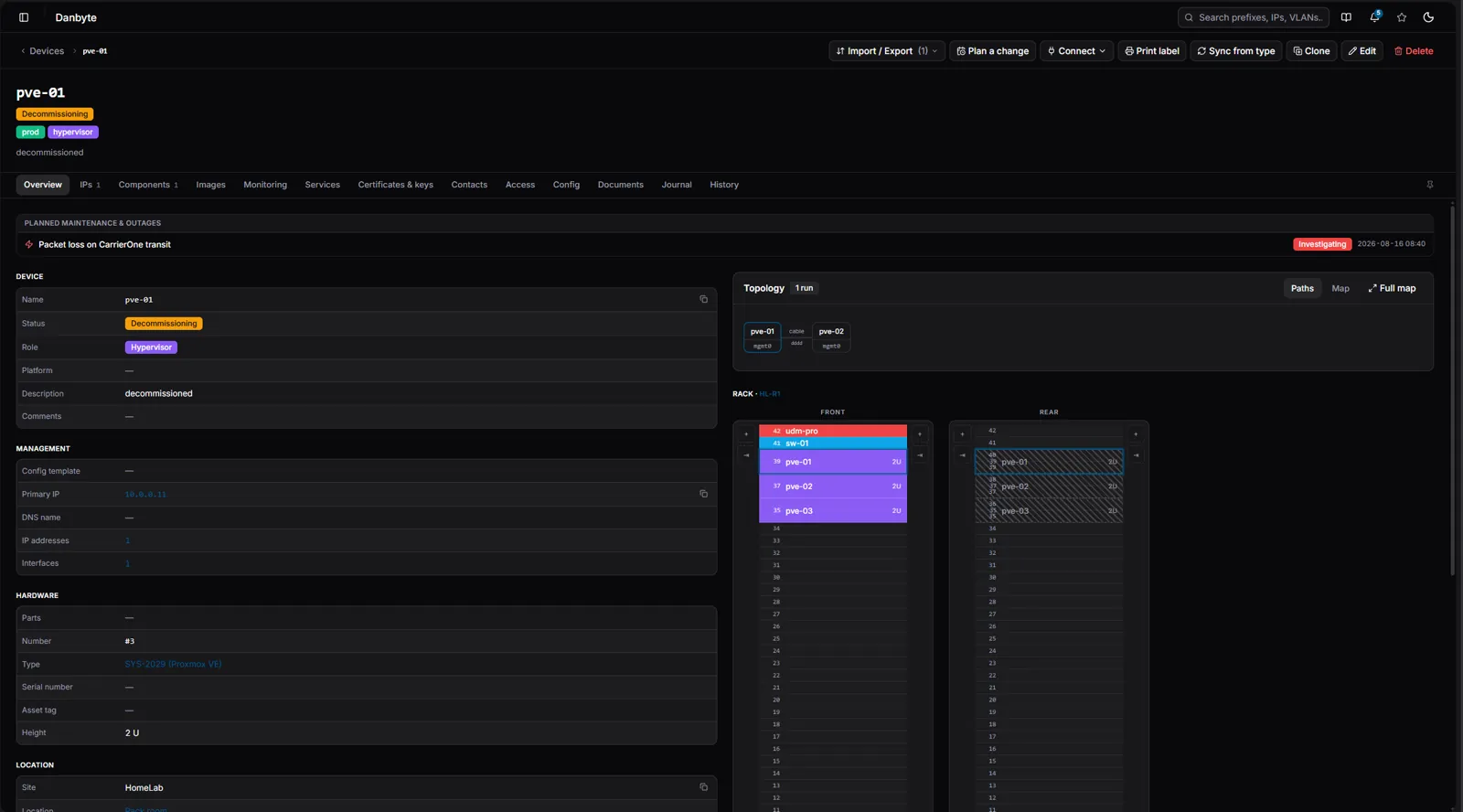
This is the heart of the release. Planning a change opens the object's own edit form in "plan mode" — you edit a rack, a device, an IP exactly as you always would, but instead of writing it live, the change is captured as intent attached to a task. Group several edits into a change set, and when the window comes, apply them with conflict detection that catches anything that moved underneath you since you planned it.
The plan stays visible the whole time: a calendar-clock indicator appears on every detail page and table row that has a pending change, planned edits are labelled in the editor, and if the underlying object changed since you planned, Danbyte warns you before you apply — so you never quietly overwrite someone else's work.

Maintenance & outages, straight from your carriers
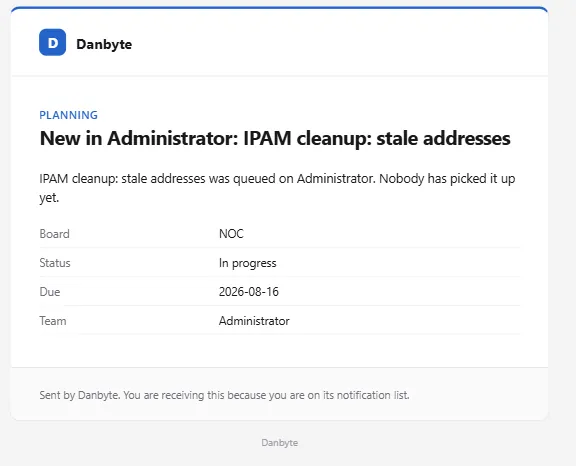
Carrier maintenance notices arrive as email and die in an inbox. 0.11.0 turns them into tracked events with impacts (four severity levels), catalog status workflows, an ETR, auto-silences that mute alerts for exactly the window, and an iCal feed out. There's an ingestion API in — and a reference parser (contrib/provider-notices) that reads a mailbox over IMAP or a single --file, runs a per-provider parse function, keeps the raw mail for audit, and maps to circuit IDs.
Here's the whole pipeline, end to end:
flowchart TD
    noc["Provider NOC<br/>CarrierOne, …"]
    mail["Notification email<br/>maintenance / outage"]
    box["Mailbox<br/>IMAP or forwarding address"]
    parser["Parser — your side<br/>contrib/provider-notices/ingest_mail.py<br/>one parse function per provider"]

    noc --> mail --> box
    box -->|"poll · cron / systemd timer<br/>or --file notification.eml"| parser

    parser ==>|"POST /api/monitoring/maintenance-events/ingest/<br/>Authorization: Token · scoped API token"| ingest

    subgraph danbyte["  Danbyte  "]
        direction TB
        ingest{{"Ingest endpoint<br/>upsert on provider + external_ref<br/>first delivery 201 · revision 200"}}
        event["MaintenanceEvent<br/>kind · catalog status · window · ETR<br/>raw email kept for audit"]
        impacts["Impacts<br/>circuit · device · site · prefix · IP<br/>no-impact → outage"]
        silence["Silence — auto-managed<br/>alerts muted while the event is open"]
        ingest --> event
        ingest -->|"per-object RBAC"| impacts
        event --> silence
    end

    event --> list["/maintenance<br/>list + event page"]
    event --> cal["Calendar<br/>+ iCal feed out · ?token=…"]
    impacts --> panels["Device & circuit pages<br/>upcoming-maintenance panels"]
    silence --> alerts["Alerting<br/>suppressed during the window"]

    classDef outside fill:#3f3f46,stroke:#71717a,color:#fafafa
    classDef parserC fill:#0e7490,stroke:#22d3ee,color:#ffffff
    classDef core fill:#0173a8,stroke:#38bdf8,color:#ffffff,font-weight:bold
    classDef store fill:#075985,stroke:#38bdf8,color:#e0f2fe
    classDef good fill:#047857,stroke:#34d399,color:#ecfdf5
    classDef warn fill:#b45309,stroke:#fbbf24,color:#fffbeb
    classDef ui fill:#18181b,stroke:#0173a8,color:#e4e4e7

    class noc,mail,box outside
    class parser parserC
    class ingest core
    class event store
    class impacts good
    class silence warn
    class list,cal,panels,alerts ui

    style danbyte fill:none,stroke:#0173a8,stroke-width:2px
    linkStyle default stroke:#8b93a3,stroke-width:2px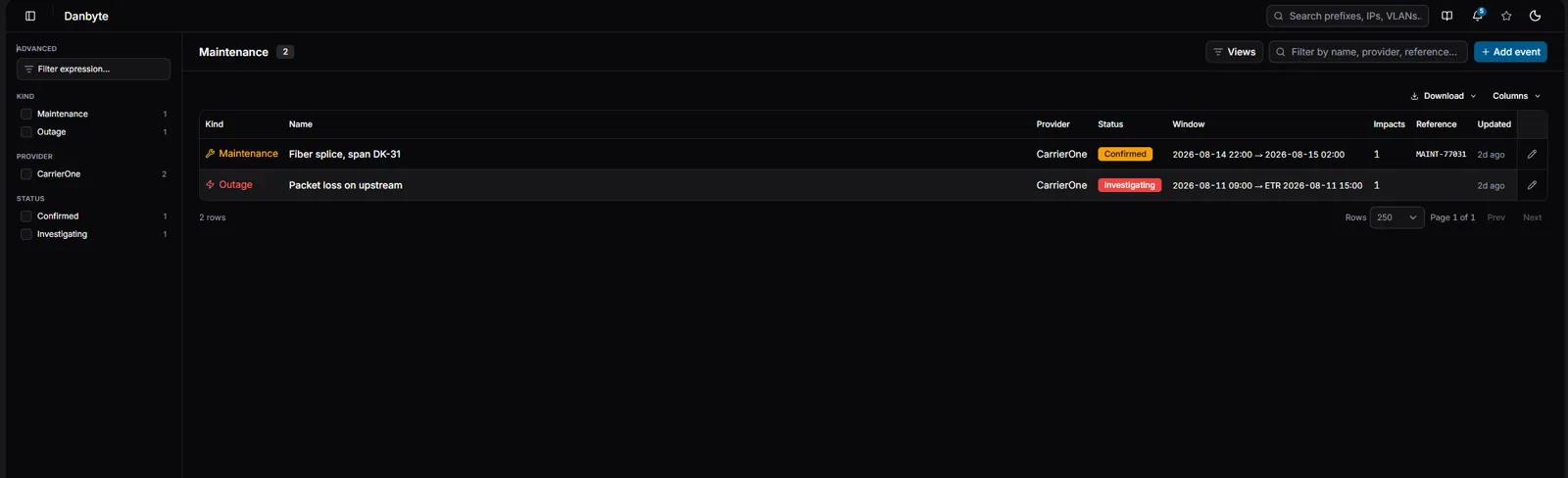
Advanced filtering & saved views
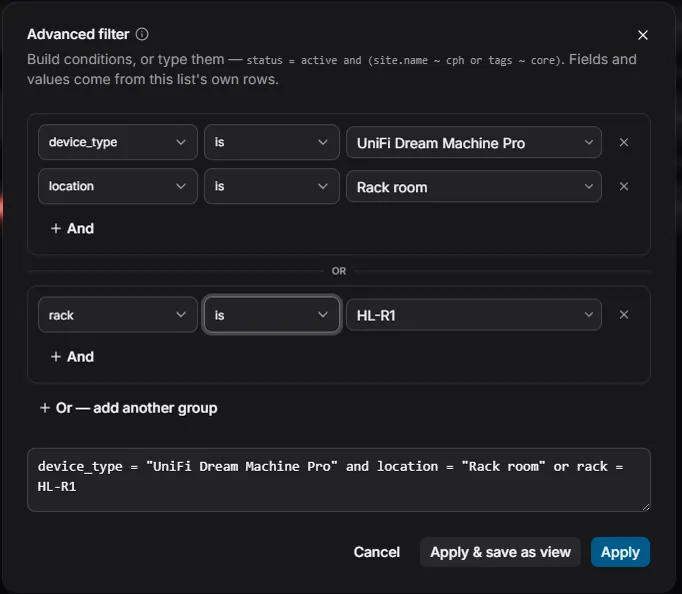
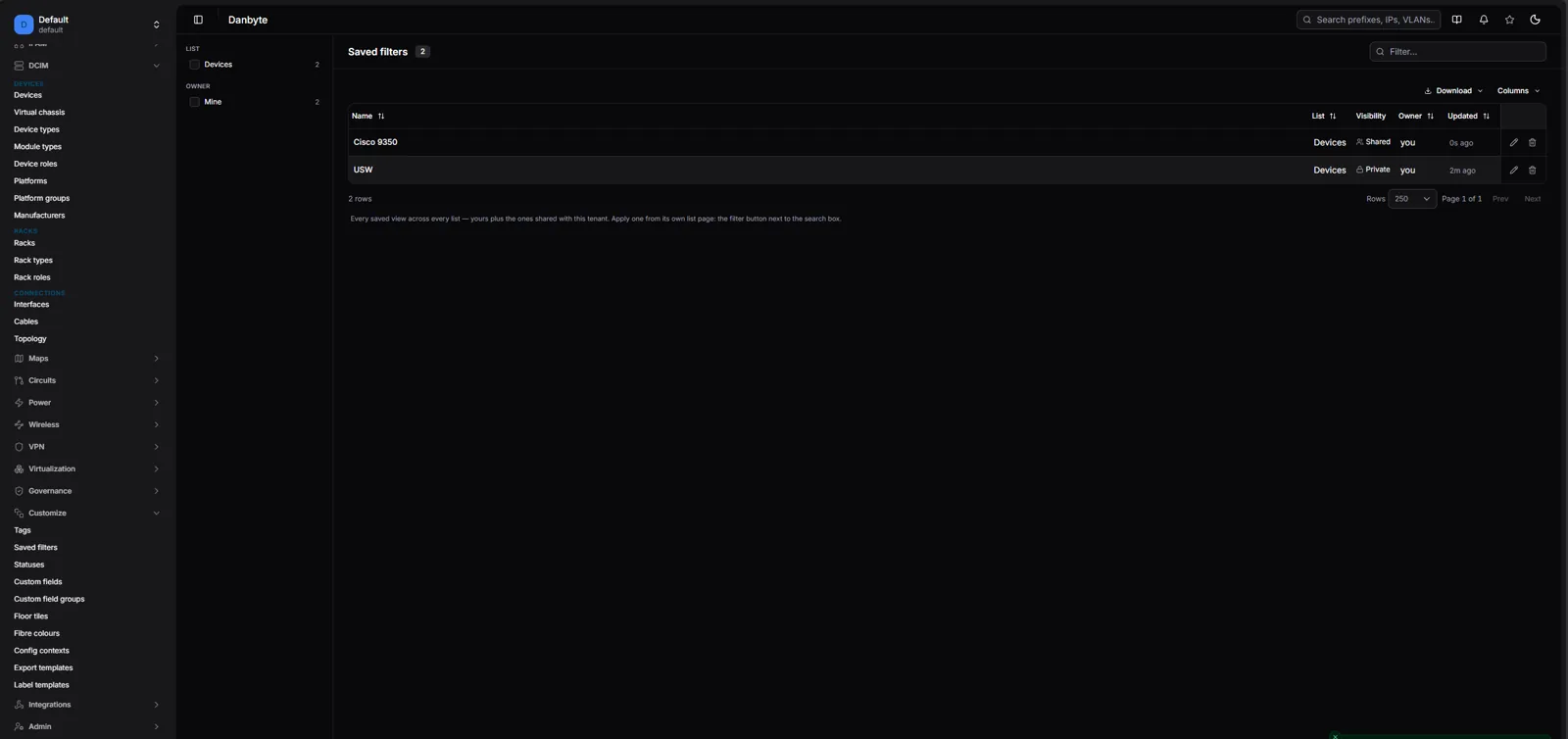
Every list gets an advanced filter: OR-groups of AND-rows, field dropdowns and value pickers fed by live data, a typed grammar (multi-line means AND), an operator help tip, and Apply & save as view. Then Customize → Saved filters collects every view across every list in one editor — name and sharing, search text, removable facet chips, and the full expression builder fed by a live sample of the target list.
SNMP & monitoring
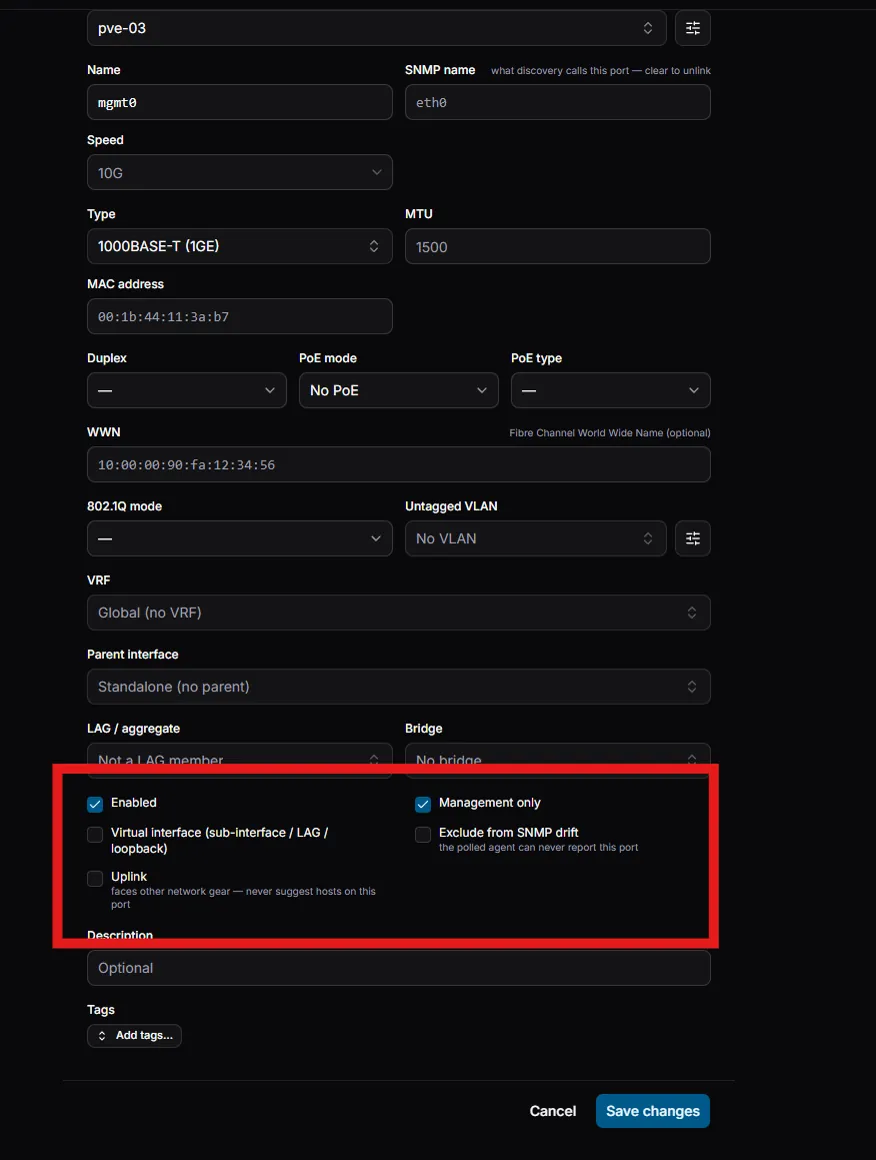
The observed layer got sharper and quieter. An uplink guard (LAG / LLDP / MAC-count heuristics) plus a manual Uplink flag and an ARP source setting stop trunk ports from drowning you in noise; MAC pages gain an "observed via SNMP" table, component popovers are configurable, and drift you've decided to live with can be ignored deliberately rather than nagged about.
Docs & platform
- Docs re-navigated, with a book icon in the top bar that deep-links straight to the current page's documentation.
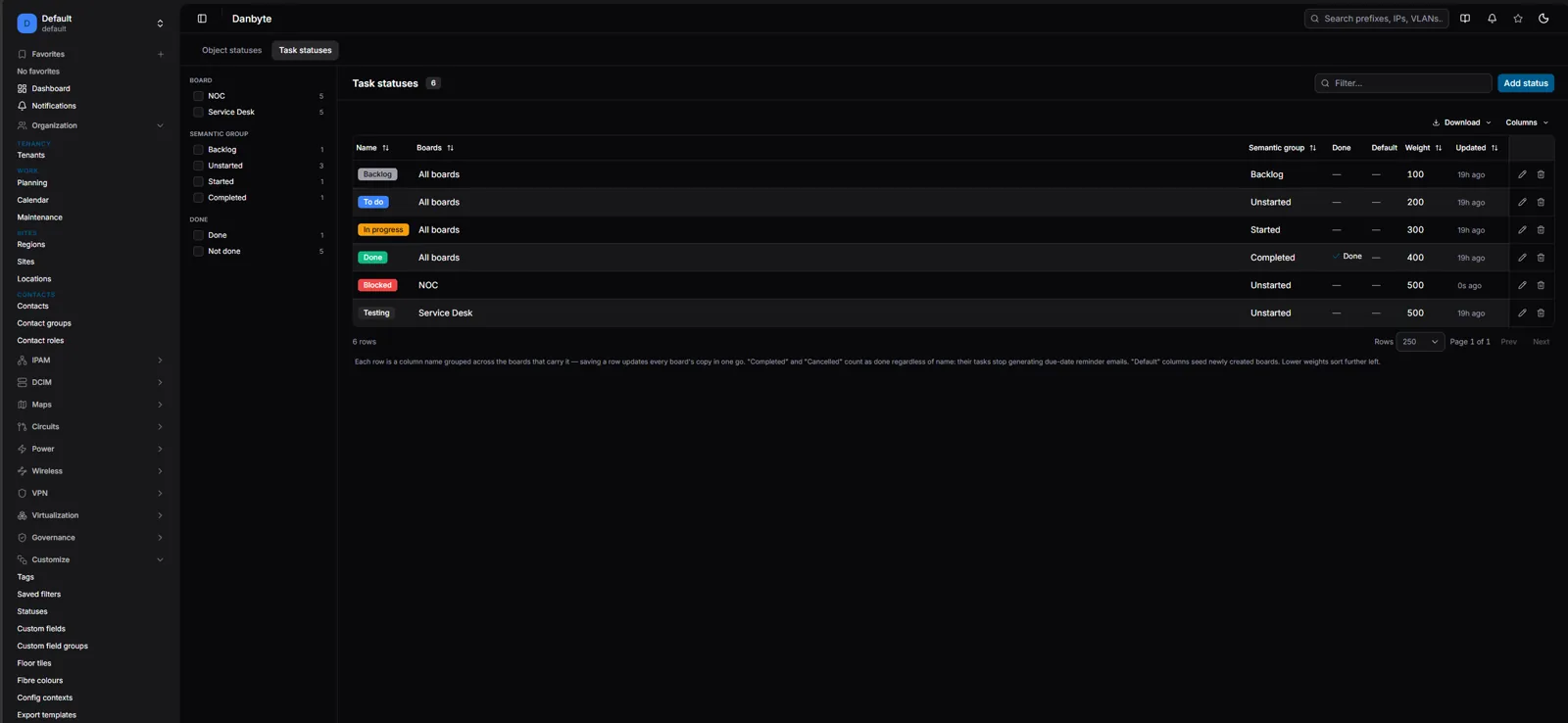
- Statuses catalog rework — Done/Default ticks, grouped across boards — plus clone support for three more object types.
- Containers now run periodic work, and a task-reminder timer ships with installs, so the daily digest just works.
Install
A fresh Ubuntu or Debian box to a running instance in one line — it resolves the latest release, verifies the checksum, and provisions PostgreSQL, Redis and nginx + TLS:
curl -fsSL https://danbyte.net/install.sh | bash -s -- --host danbyte.example.com
A production Docker / Podman stack ships too, and everything is vendored for a fully offline install.
See the full changelog for every fix and smaller change in 0.11.0.