
DHCP, DNS and virtualization become first-class
Danbyte 0.12.0 reaches past what you type in — agentless WinRM sync of Windows DHCP scopes, exclusions, reservations and leases plus DNS zones; Proxmox VE and VMware vCenter import with an OpenStack-style network topology; DHCP modelled natively in every IP table; colored VLANs everywhere; SNMP for virtual machines; and a drag-to-arrange dashboard.
0.12.0 is about the addresses and machines Danbyte didn't put there itself. The DHCP server that actually hands out the leases, the DNS zones your domain controllers serve, the VMs your hypervisors spin up — 0.12.0 pulls them all into the source of truth, keeps them in sync, and lets you author right back. On top of that: DHCP as a native citizen of IPAM, colors that follow a VLAN wherever it appears, SNMP for virtual machines, and a dashboard you can finally rearrange.
Windows DHCP & DNS — agentless, two-way
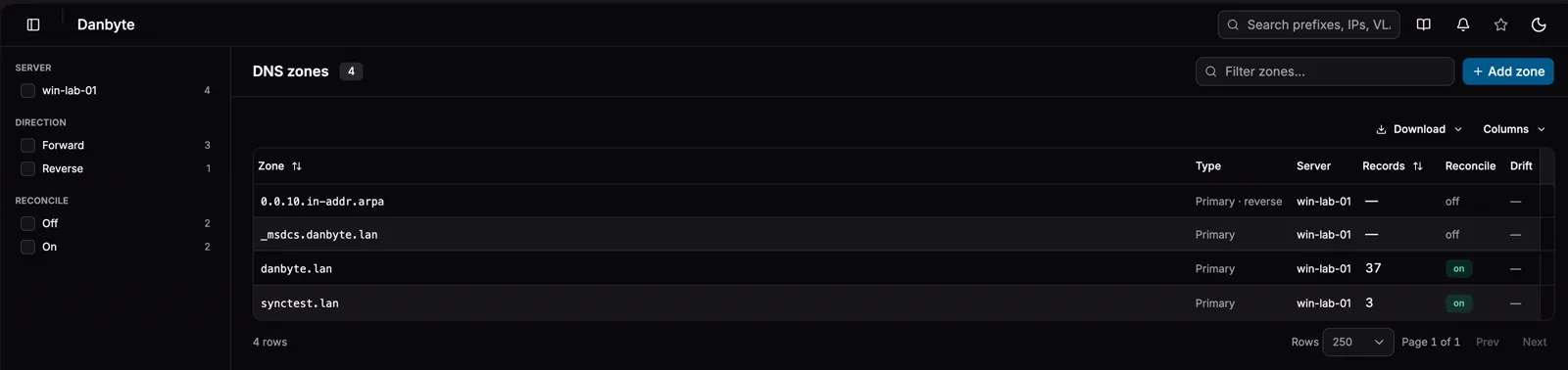
Point Danbyte at a Windows Server and it talks WinRM — there is no agent to install. It reads scopes, exclusions, reservations and live leases into IPAM, and DNS forward and reverse zones with their records, on a poll interval you set. Authentication is NTLM or Kerberos, over 5985 or TLS on 5986.

Adding a server is a handful of fields — host, WinRM port, auth, a credential, a poll interval, and which of DHCP / DNS to sync — and nothing runs on the Windows box but the PowerShell cmdlets it already ships with.
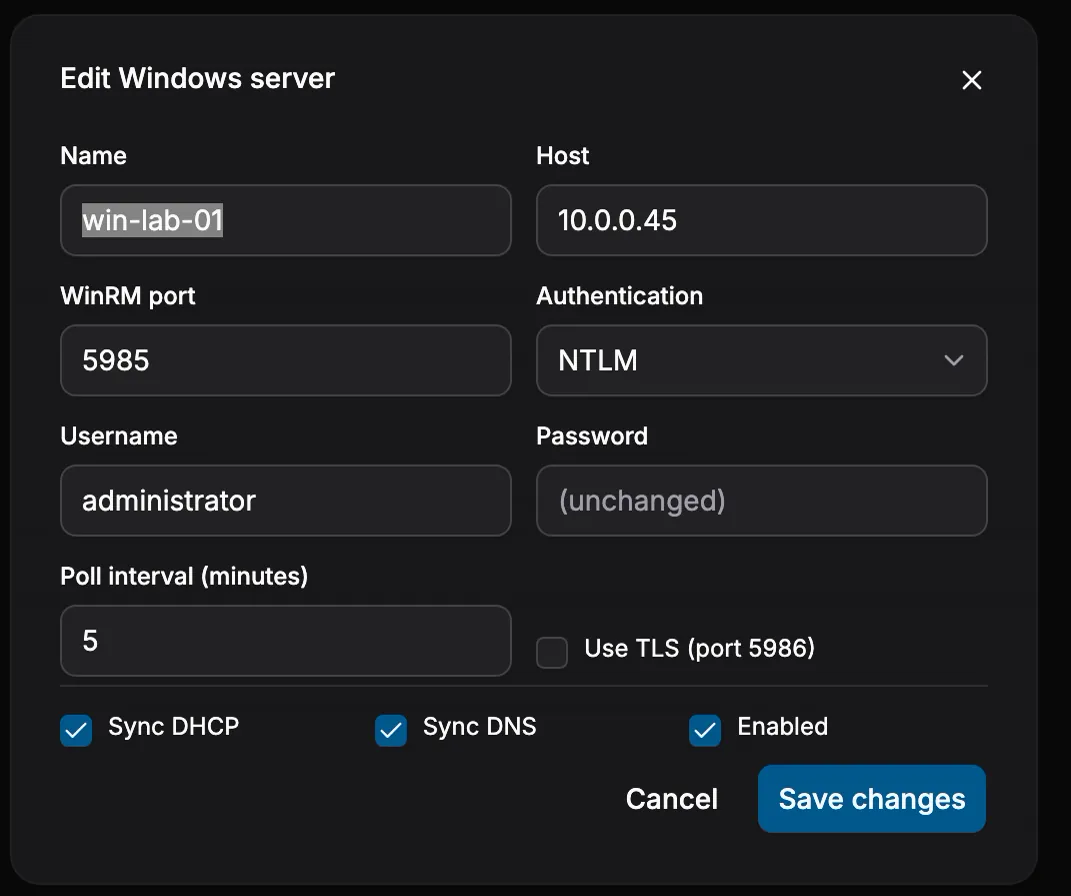
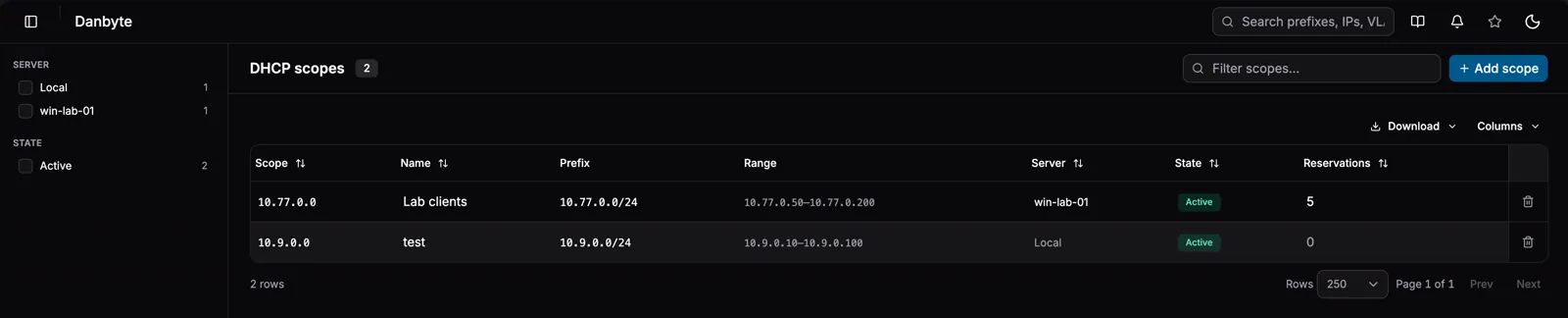
And it runs both ways. Scopes, reservations and zones are fully authorable inside Danbyte — saving a new scope runs Add-DhcpServerv4Scope on the server, a reservation calls Add-DhcpServerv4Reservation, records push into the zone. There are local, Danbyte-managed scopes too, backed by an existing prefix or a fresh subnet in any VRF — full DHCP modelling with no Windows box in sight.
Here's the whole loop, agent-free:
flowchart LR
    win["Windows Server<br/>DHCP + DNS role"]

    subgraph danbyte["  Danbyte  "]
        direction TB
        conn{{"Windows connection<br/>WinRM · NTLM/Kerberos · 5985 / TLS 5986<br/>poll every N min"}}
        ipam["IPAM<br/>scopes · exclusions · reservations · leases"]
        dns["DNS<br/>zones · records · per-zone reconcile"]
        local["Local scopes<br/>Danbyte-managed · any VRF · no server"]
        conn --> ipam
        conn --> dns
        local --> ipam
    end

    win -->|"read state<br/>Get-DhcpServerv4Scope · -Lease · Get-DnsServerResourceRecord"| conn
    ipam ==>|"authored in Danbyte<br/>Add-DhcpServerv4Scope · -Reservation"| win
    dns ==>|"push records"| win

    classDef outside fill:#3f3f46,stroke:#71717a,color:#fafafa
    classDef core fill:#0173a8,stroke:#38bdf8,color:#ffffff,font-weight:bold
    classDef store fill:#075985,stroke:#38bdf8,color:#e0f2fe
    classDef good fill:#047857,stroke:#34d399,color:#ecfdf5

    class win outside
    class conn core
    class ipam,dns store
    class local good

    style danbyte fill:none,stroke:#0173a8,stroke-width:2px
    linkStyle default stroke:#8b93a3,stroke-width:2px
DHCP, native to IPAM
Every IP table gains a DHCP column: a solid badge for a lease, a faint one for a scope pool address, and a dashed EXCL for an exclusion carve-out. Flip on Show DHCP pool to ghost-in the pool rows, and reservations synced from the server land as real IPs with their client names.
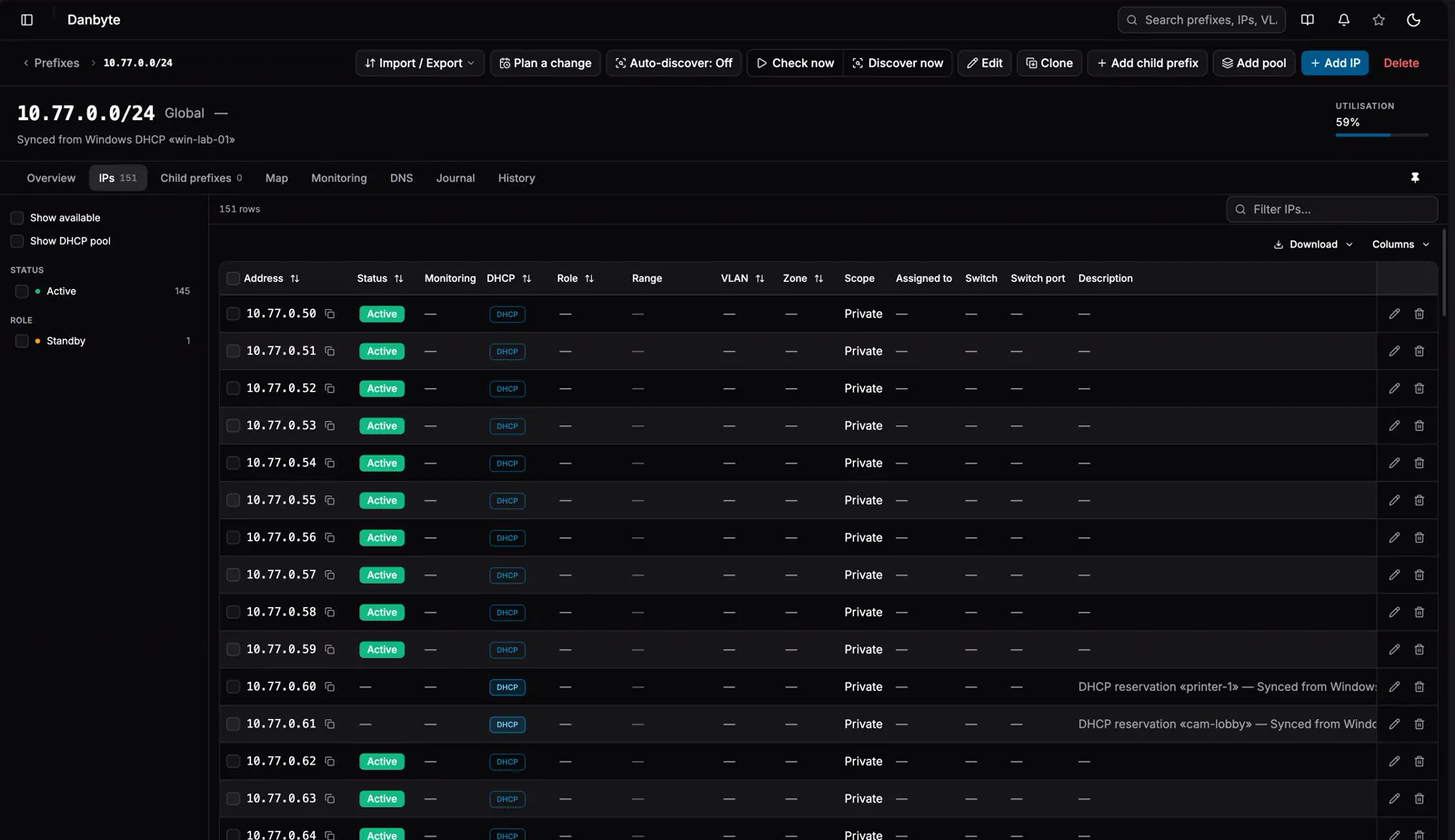
Exclusions come across as IP ranges tagged DHCP Exclusion, and you can bulk-fill a prefix from a scope — or the whole subnet — with Add pool, which skips addresses that already exist and never creates the network or broadcast.
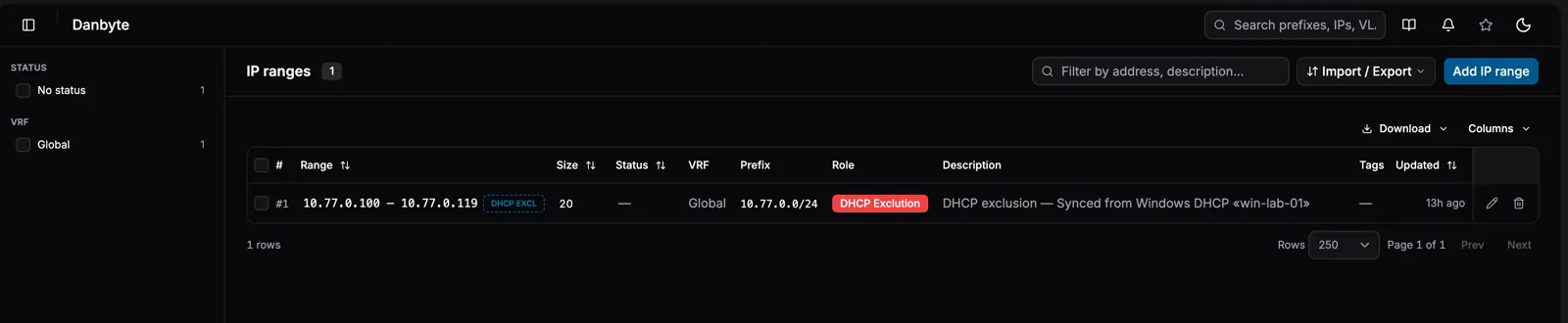
An exclusion range, carried straight from the Windows scope and tagged DHCP Exclusion — so the carve-out is visible in IPAM, not buried on the server.
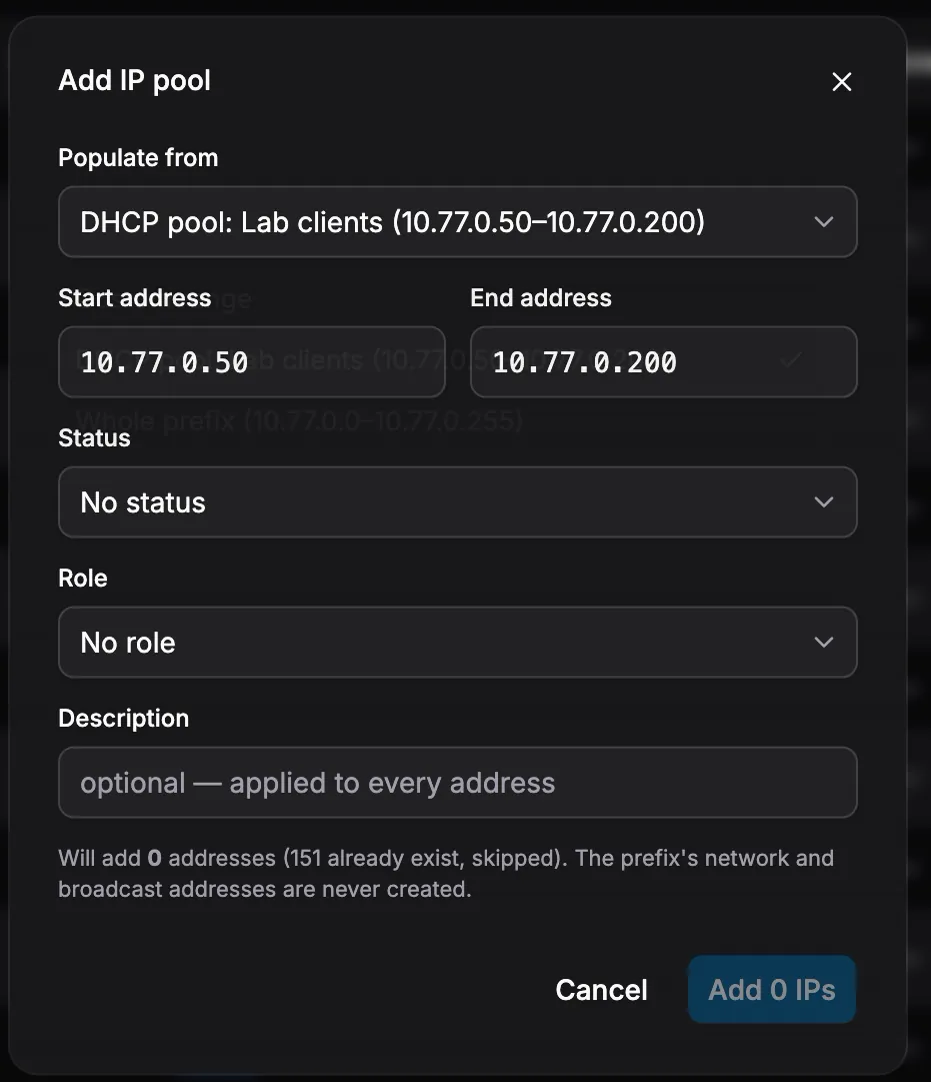
Add pool — populate a range from a DHCP pool or the whole prefix, with a live count of exactly what it will and won't create.
Virtualization — Proxmox, vCenter, and a topology that reads
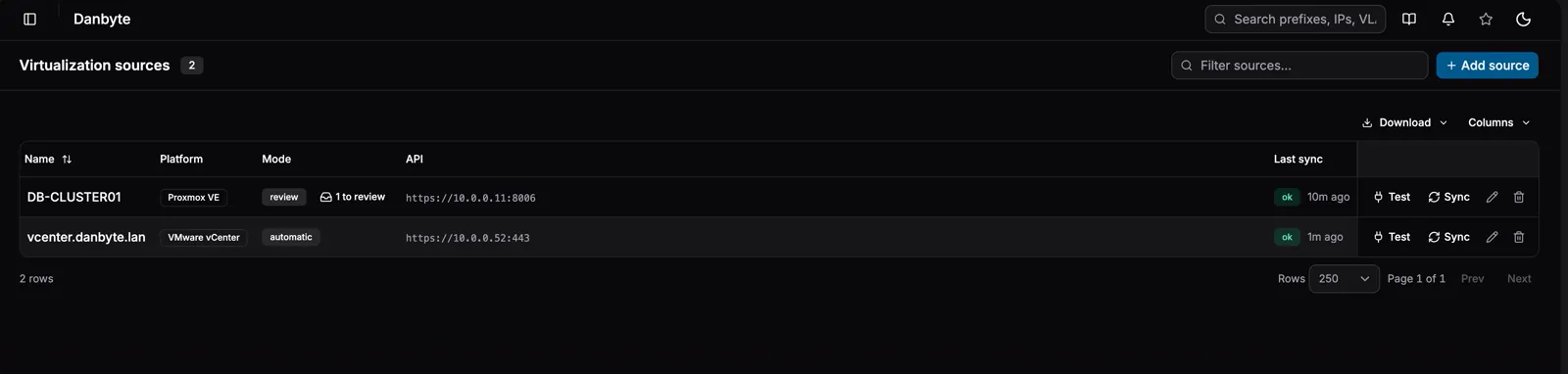
Add a Proxmox VE or VMware vCenter source and Danbyte imports the VMs, their disks, the virtual switches, port-groups and bridges, and the VLANs behind them — guest tags (with Proxmox's own tag colors) and notes ride along. Run a source in review mode to approve each change, or automatic to simply keep up.
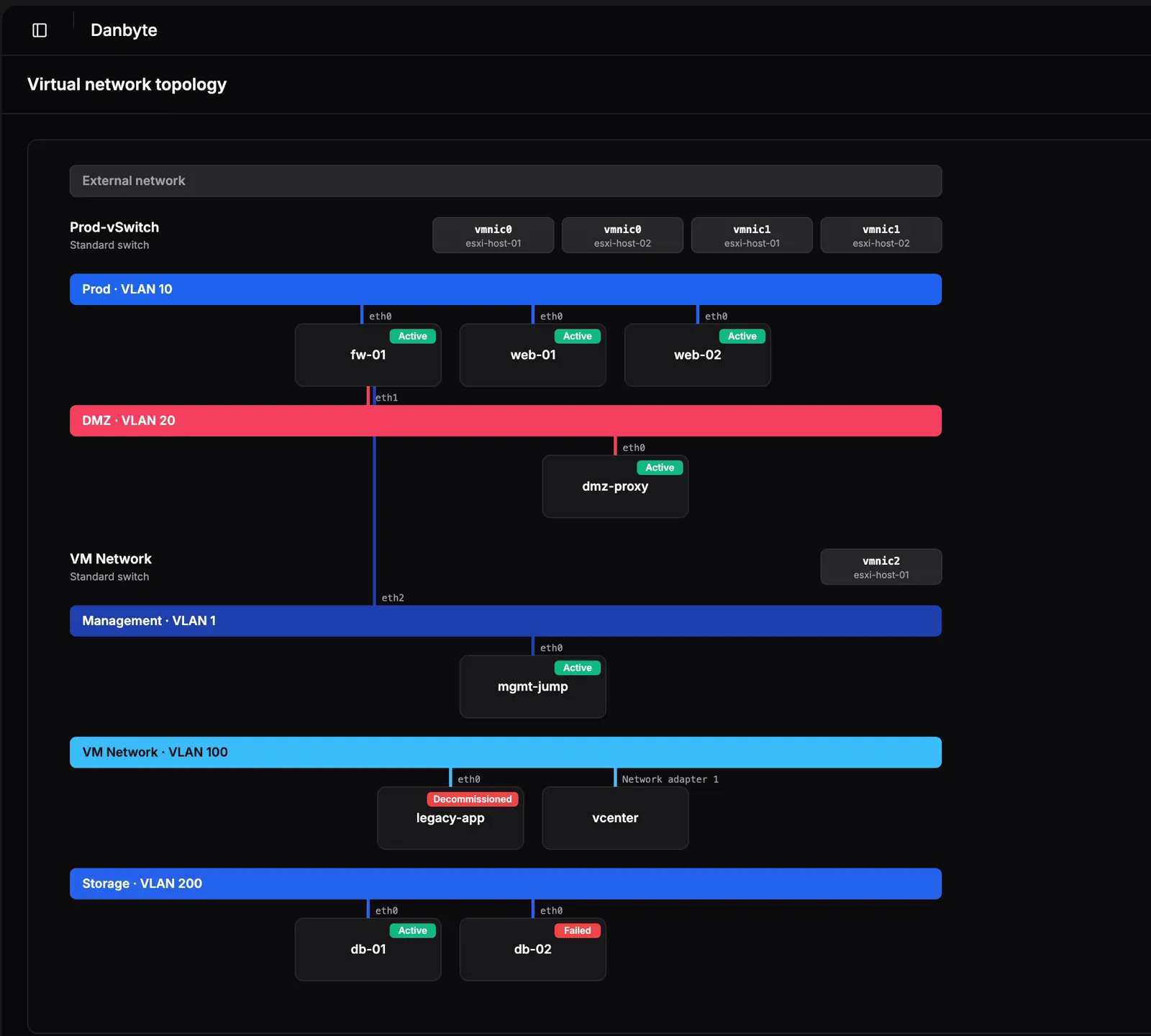
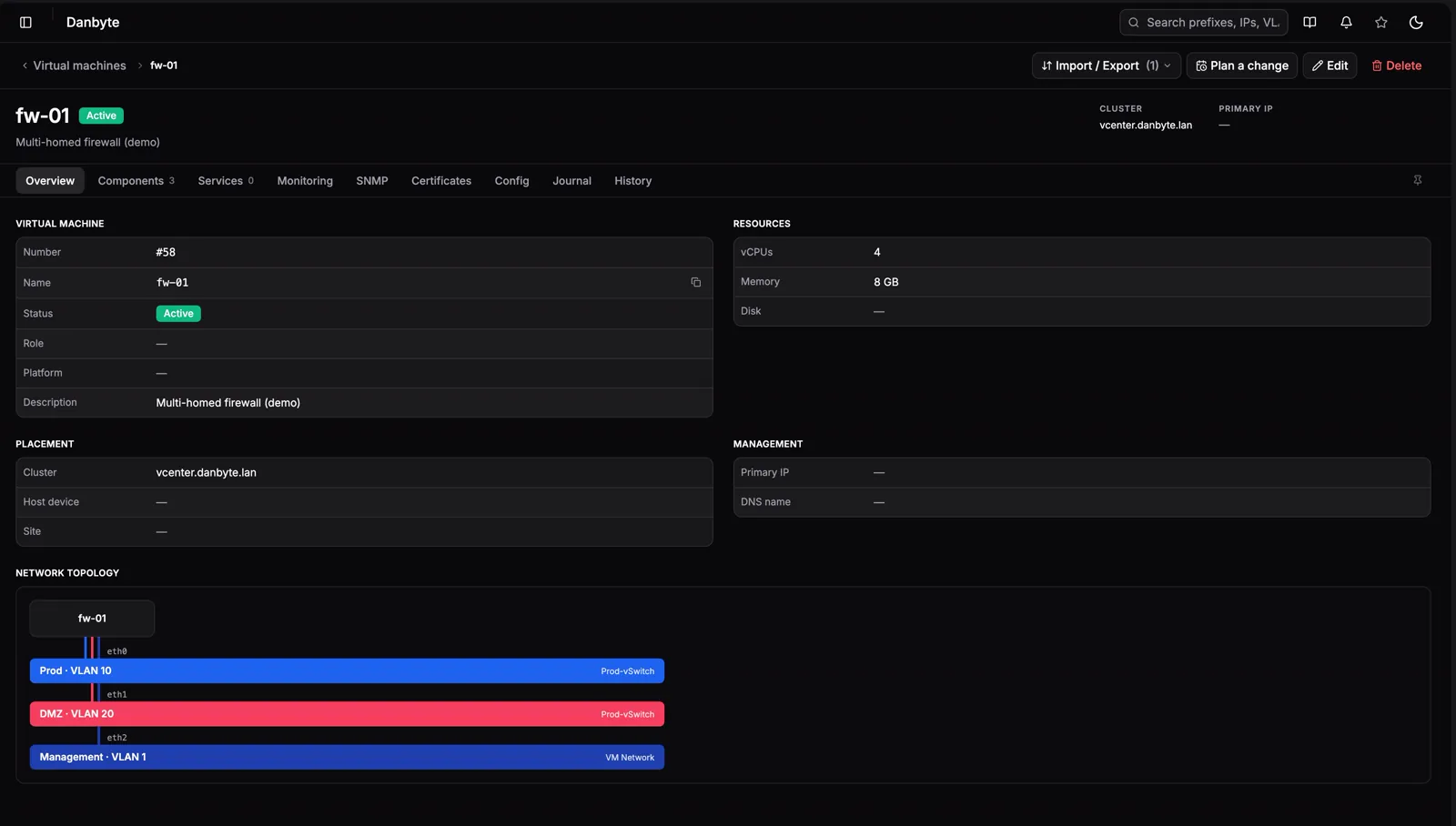
The payoff is the network topology, rebuilt OpenStack-style. (openstack sync coming soon) Each network is a full-width colored rail; every VM is drawn once with a ribbon-cable leg per attachment — so a multi-homed firewall fans out to Prod, DMZ and Management at a glance — and the physical host adapters sit up top.
The same diagram rides on each VM's own page, right beside its resources and placement.
VLANs get colors
A VLAN can now carry its own optional color, and it renders as a badge — ID · name — everywhere it appears: prefix, IP, interface and VM-interface tables, detail pages, the faceplate, L2VPN terminations, and those topology rails. Zones keep their firewall semantics — a zone never needs a color to earn one.
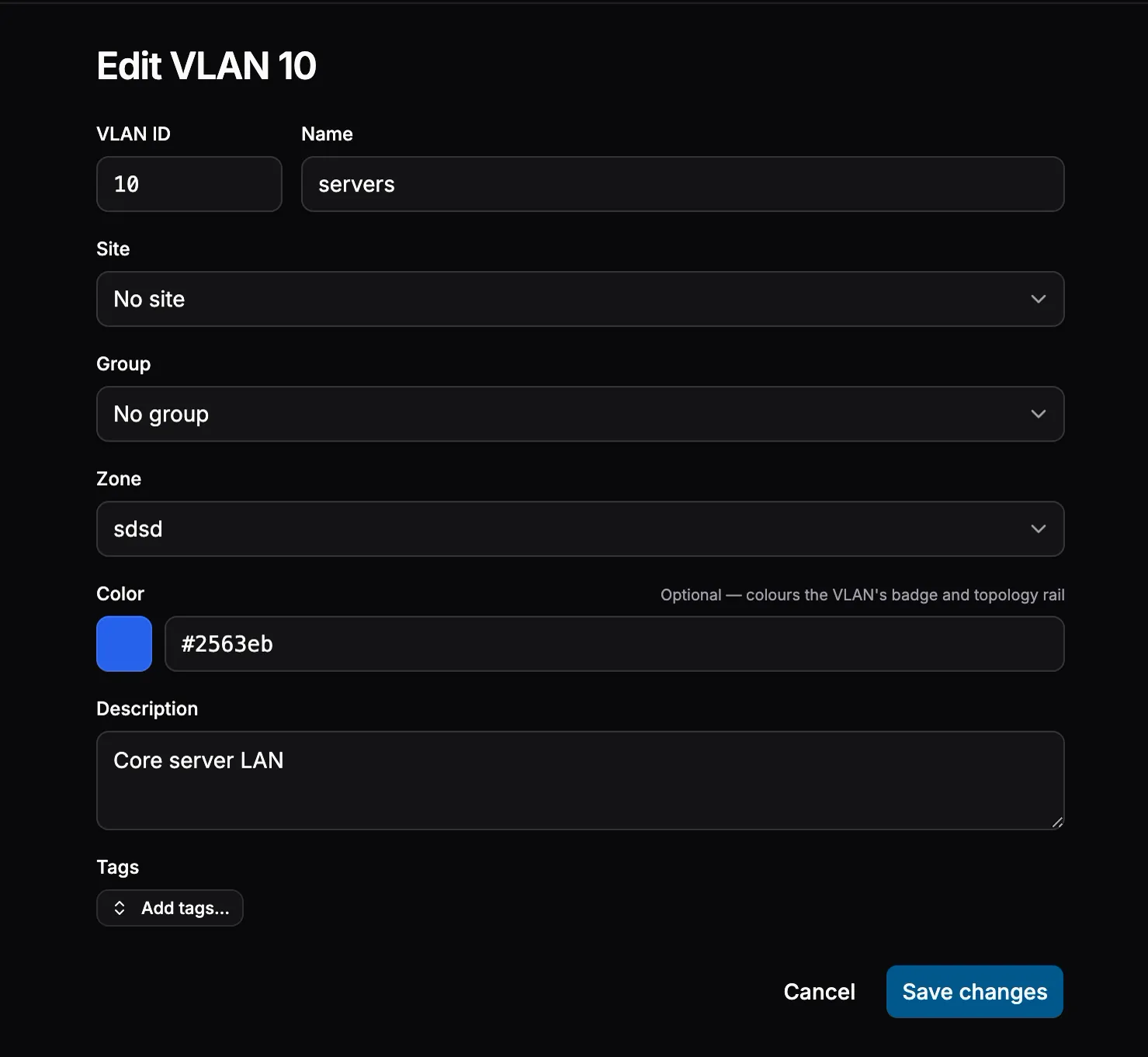
One optional color on the VLAN — it colors the badge and the topology rail…
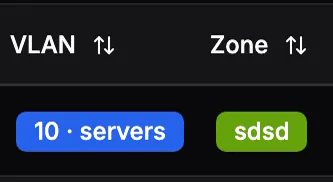
…and from then on the VLAN carries that color into every table, page and diagram it touches.
SNMP for virtual machines
Virtual routers and VMs now poll like devices — an interface table and a dedicated SNMP tab on the VM page — so a virtual firewall or router is monitored exactly like its physical cousins, no special case.
A dashboard you can arrange
The dashboard gained an edit mode: drag widgets to reorder them live, add or remove them, and admins can pin a default layout for every new user. A changelog widget shows who changed what across the tenant, and an update badge appears the moment a newer release is out.
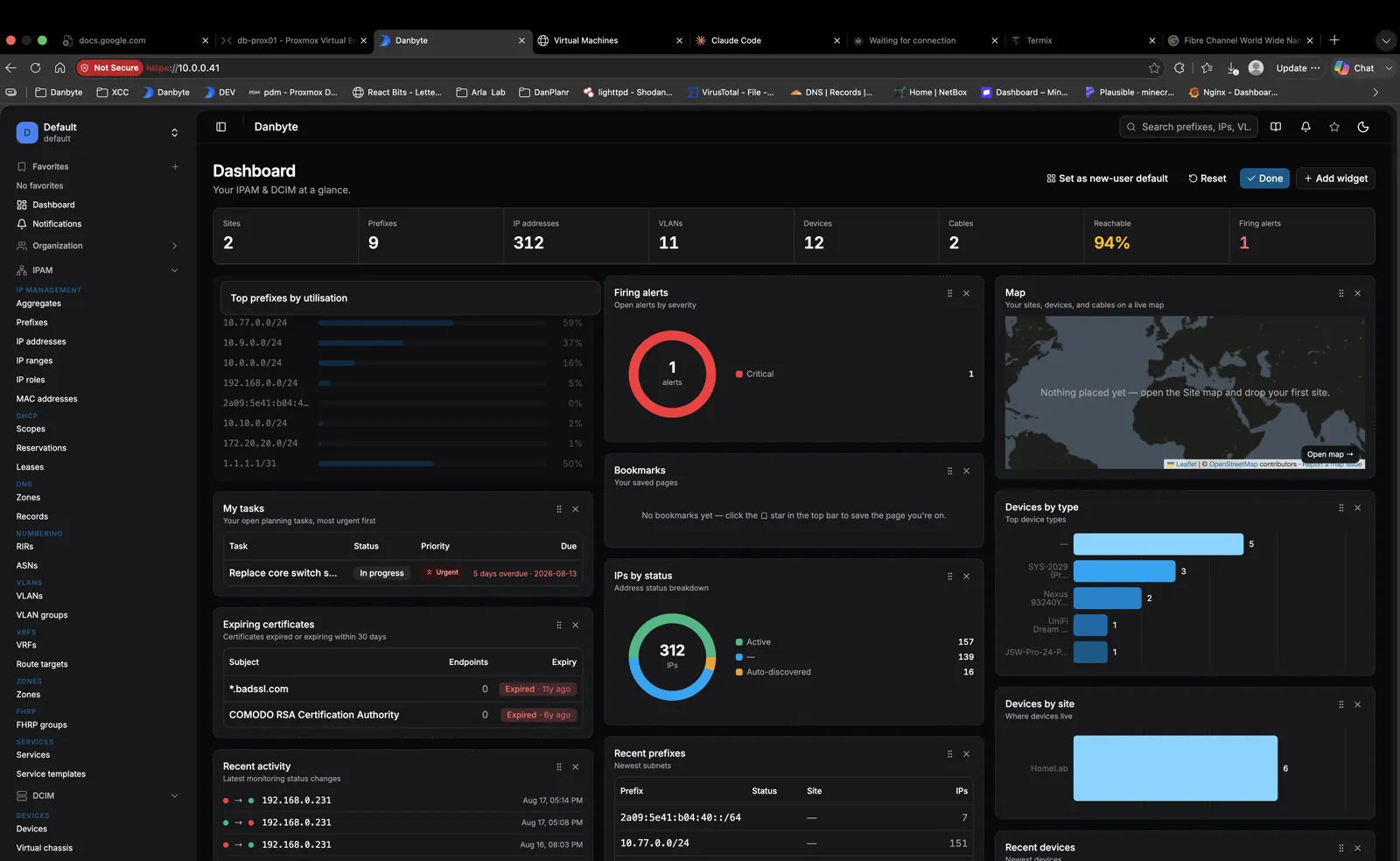
Edit mode — live drag-reorder, add or remove widgets, and Set as new-user default so everyone starts on the same page.
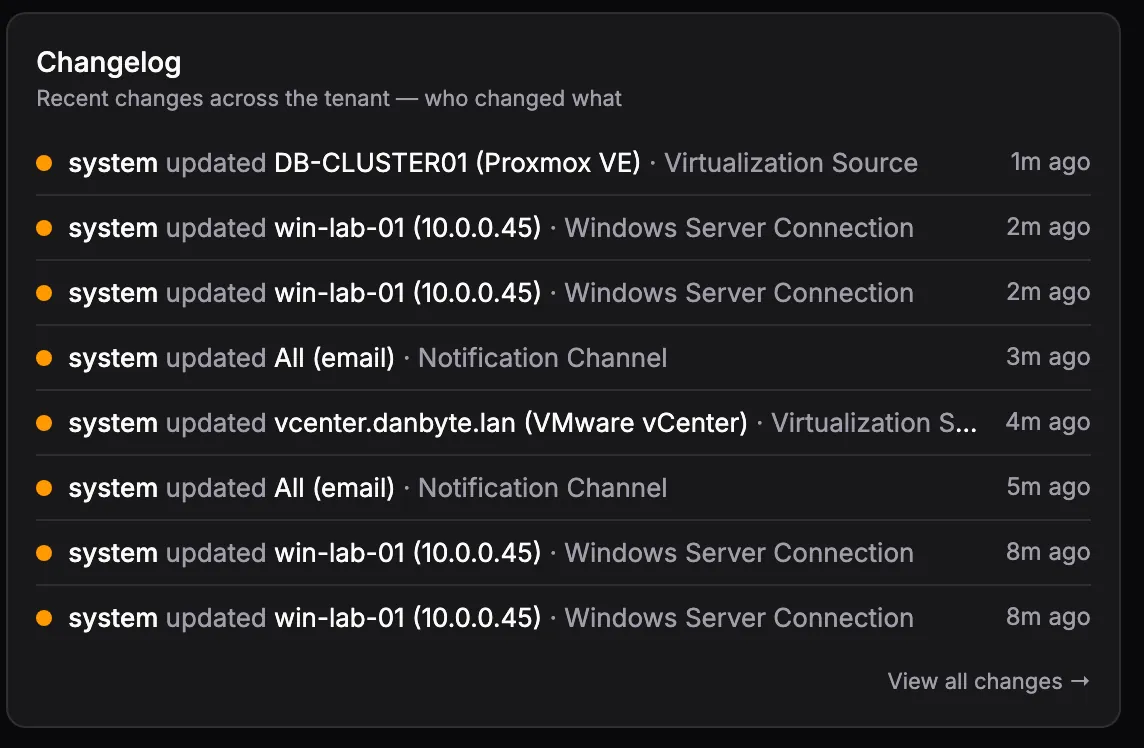
The changelog widget — recent changes across the tenant, who touched what, newest first.
Linkage & quality of life
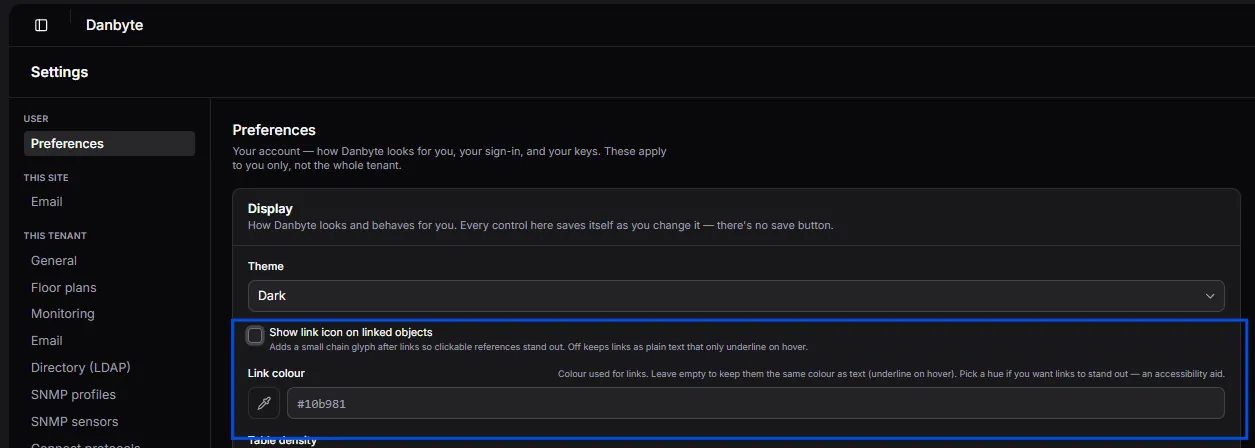
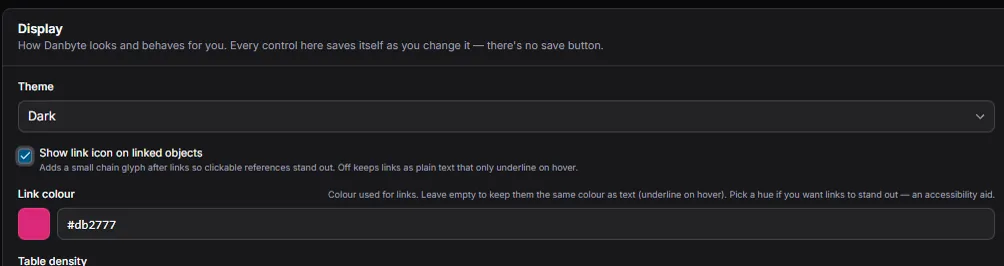
Regions, sites, locations, racks, prefixes, scopes, MACs and servers now cross-link consistently wherever they appear. And how those links look is yours: an optional link color and a link-icon toggle, per user — leave them neutral, or pick a hue so clickable references stand out. It's an accessibility aid, and it saves the moment you change it.
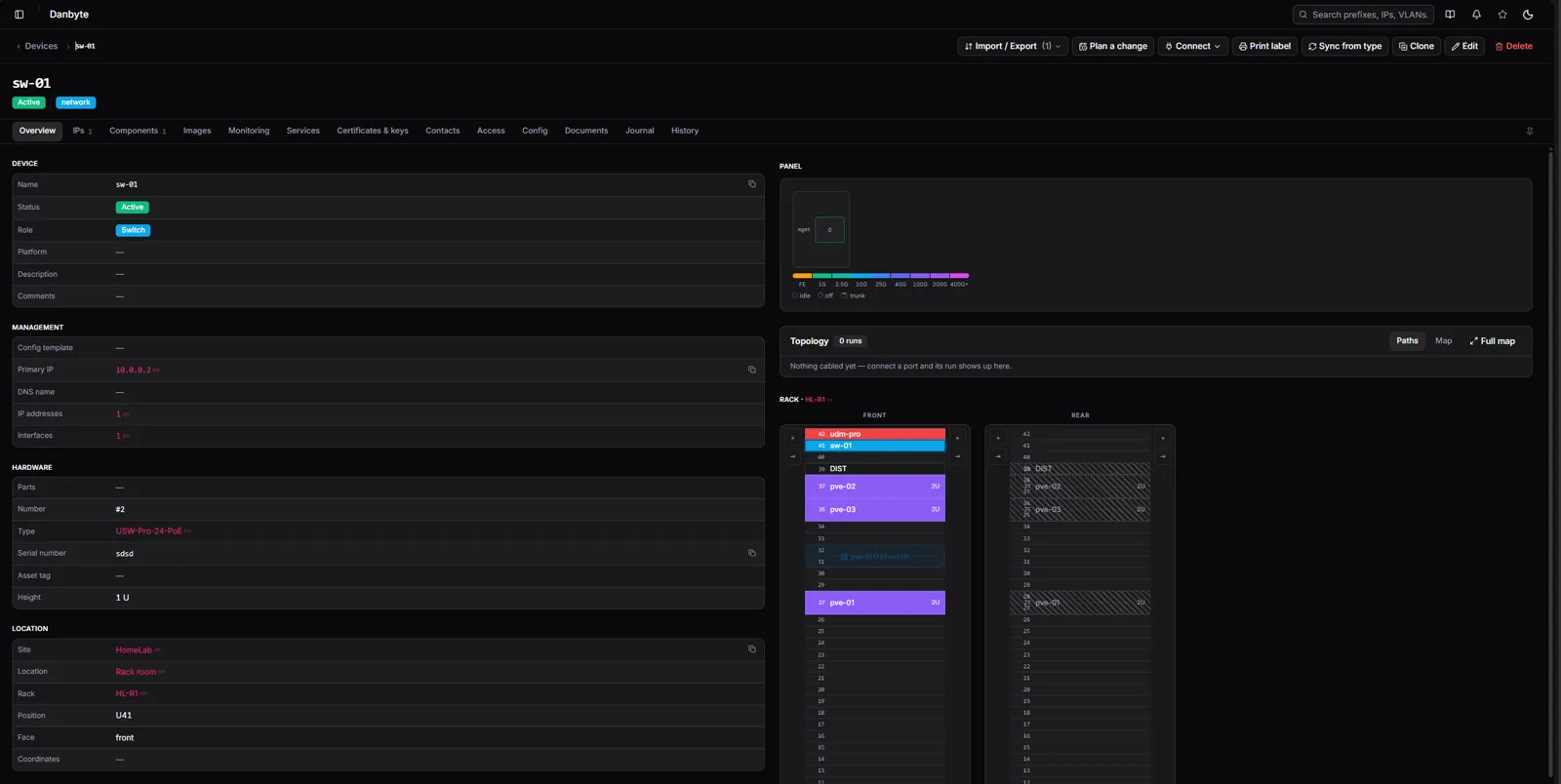
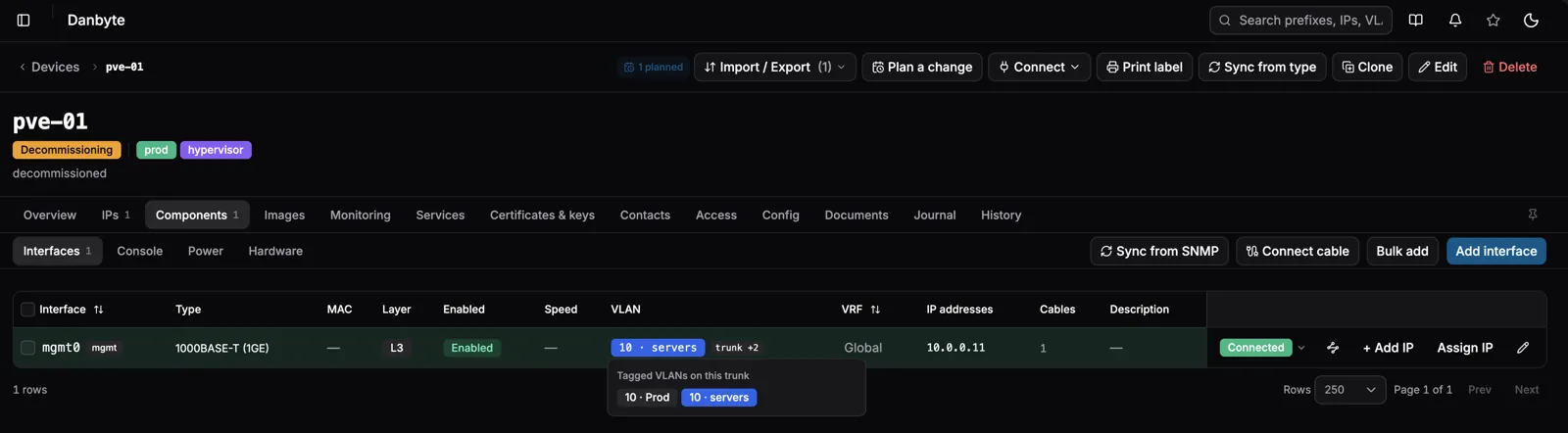
The rest is a long tail of table and form polish: VLAN and Zone columns across the IPAM tables, a wider column set on the device IPs tab, saved layouts that place newly shipped columns correctly, sync errors and DHCP badges in proper tooltips, hover to expand a trunk's tagged VLANs, and per-field validation on every integrations dialog.
Install
A fresh Ubuntu or Debian box to a running instance in one line — it resolves the latest release, verifies the checksum, and provisions PostgreSQL, Redis and nginx + TLS:
curl -fsSL https://danbyte.net/install.sh | bash -s -- --host danbyte.example.com
Upgrading from 0.11.x is supported in place — migrations apply automatically. A production Docker / Podman stack ships too, and everything is vendored for a fully offline install.
See the full changelog for every fix and smaller change in 0.12.0.