
A virtual machine is a thing on the network like any other.
It gets its addresses from IPAM, it can be monitored, it can carry routing, and a circuit can even terminate on one of its interfaces. The hypervisor sync keeps it current; you do not retype it.
VM groups
A group is a named set of machines on one cluster, filled by the sync or by hand. Clusters gain a VM groups tab and the VM list a Group column.
Cloud Director reads NICs once per vApp rather than once per machine, which turns 5,000 VMs in 400 vApps into 400 requests, so a large estate stays inside the sync timeout.
Where a machine is meant to be
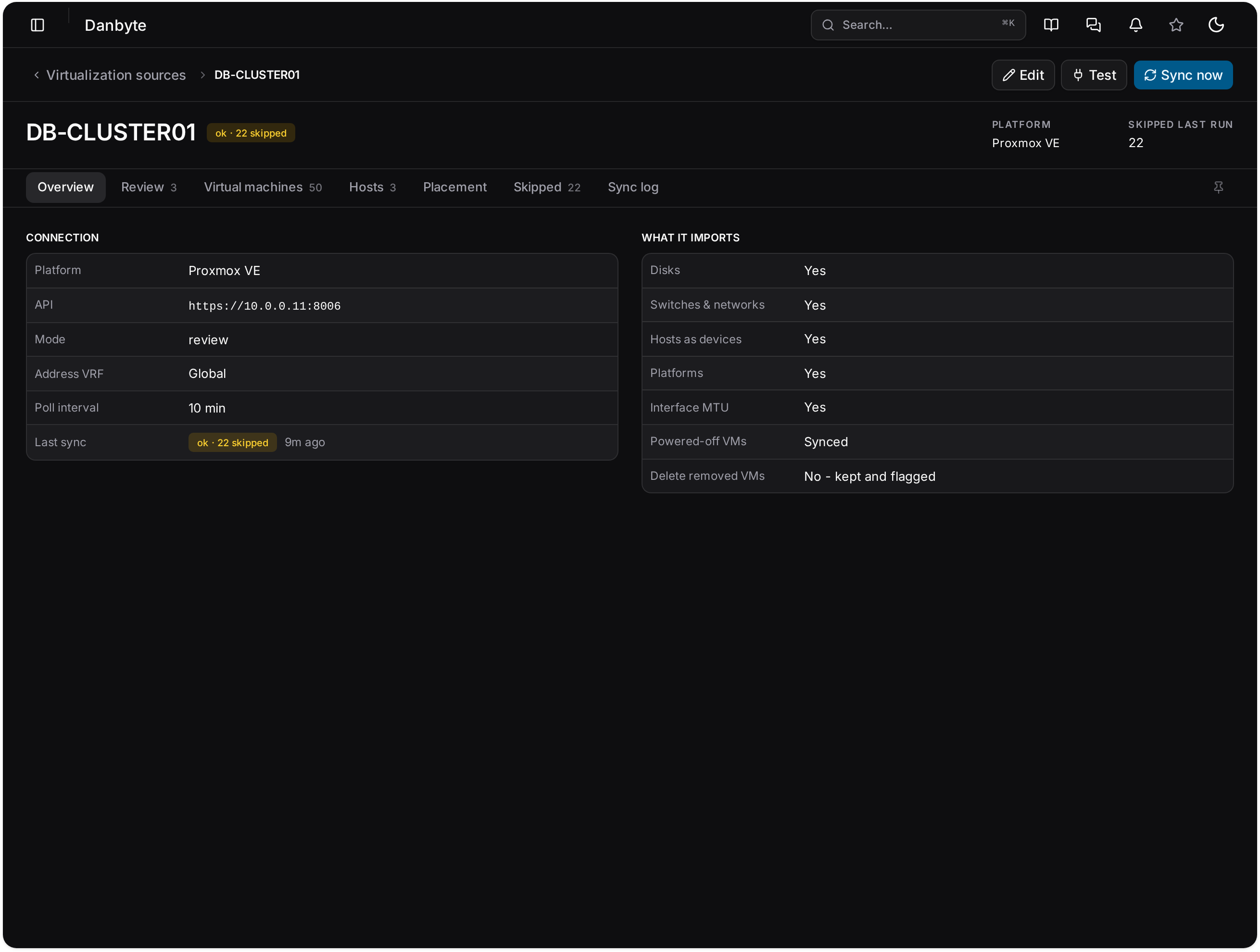
Placement rules state the expectation, and Danbyte shows where reality disagrees. Interface drift from the hypervisor is reviewed rather than applied blindly, so a sync cannot quietly rewrite what you documented.
Synced, with a log of what it refused to change
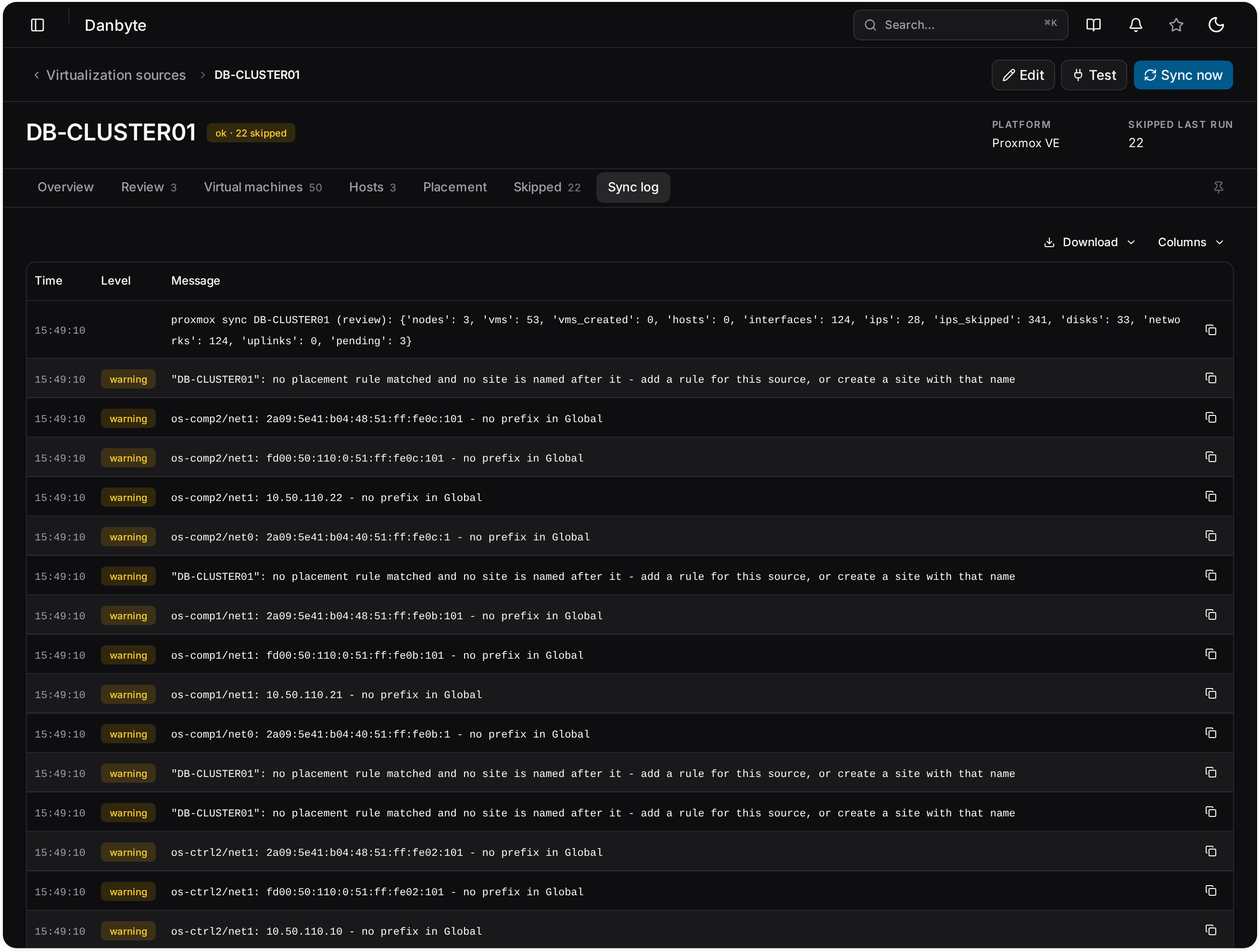
Every source keeps its own schedule and its own run log: what was created, what was updated, and what it deliberately left alone because you had changed it by hand.
The same treatment as hardware
Virtual machines carry addresses, interfaces, services, tags, custom fields, journals and a change log. They can be monitored, including through the site's Outpost, carry routing objects for a cloud router, and terminate a circuit on one of their interfaces.
Questions
- Will a sync overwrite what I edited by hand?
- No. Drift from the hypervisor is presented for review rather than applied, and each run logs what it chose to leave alone.
- Do VM groups control access?
- No. A group is a label for a set of machines; permissions come from tenants, sites and grants.
In the documentation
See it with real data.
The live demo is a private instance with a populated estate, yours for thirty minutes. Or install it yourself in a few minutes.